n8n Automations
60 designed automations (35 currently deployed) orchestrating content generation, lead nurturing, booking management, trip lifecycle, and operational monitoring — all running on a self-hosted n8n 2.6.3 instance at automations.traveltamers.com on the VPS.
Overview
Travel Tamers uses n8n (v2.6.3), a self-hosted workflow automation platform, to
connect its services and automate repetitive business processes. The n8n instance runs as
a Docker container on the Hostinger VPS, accessible at
automations.traveltamers.com behind Traefik with automatic SSL.
There are 60 designed automations (numbered A-1 through A-60) covering the full business lifecycle: from generating daily social media content with AI, to nurturing leads through email sequences, to sending pre-trip destination guides and post-trip feedback requests. Of these, 35 are currently deployed in the n8n instance. The original 60 automation IDs are the canonical reference, but some workflows were consolidated or deduplicated during deployment — the actual workflow count on the VPS is 35. The remaining automations are designed and documented, ready to be built as the business scales.
60 Designed 35 Deployed 29 Migrated to Env Vars 9 External ServicesNumbering convention: All automations are referenced as A-1 through A-60 throughout the codebase, architecture docs, and n8n workflow names. The master specification lives in
architecture/automation-workflows.md.
Environment variable migration (R9): 29 of the 35 deployed workflows were migrated from hardcoded values (API keys, Slack channel IDs, webhook secrets) to n8n environment variables using the
$env.VARIABLE_NAMEsyntax. This means secrets are no longer baked into workflow JSON files — they're injected via Docker Compose at container startup.
Connected Services
The n8n instance connects to nine external services plus two internal PostgreSQL databases. Each integration is configured via environment variables in Docker Compose or directly as n8n credentials.
Slack TT-API Nexus CRM Claude AI Perplexity Unsplash FLUX (Replicate) Buffer Gmail| Service | Purpose | Auth Method |
|---|---|---|
| Slack | Notifications, content review, approvals, monitoring alerts | Bot Token (OAuth) |
| TT-API (Hono) | CRUD on contacts, deals, bookings, analytics | X-Webhook-Secret header ($env.WEBHOOK_SECRET) |
| Nexus CRM | Marketing sequences, social posts, CRM data | Direct PostgreSQL + X-Webhook-Secret for HTTP callbacks |
| Claude AI | Content filtering, writing, analysis, recommendations | API key ($env.ANTHROPIC_API_KEY) |
| Perplexity | Real-time research on trending topics | API key ($env.PERPLEXITY_API_KEY) |
| Unsplash | Stock photography for social posts | Access key ($env.UNSPLASH_ACCESS_KEY) |
| FLUX (Replicate) | AI image generation ($0.01–0.05/image) | API token ($env.REPLICATE_API_TOKEN) |
| Buffer | Social scheduling via GraphQL API at api.buffer.com | Access token ($env.BUFFER_ACCESS_TOKEN) |
| Gmail | Email sequences and notifications | Service account |
Architecture
The n8n container sits at the center of the Travel Tamers automation ecosystem, connecting inbound channels (LinkedIn, website forms, email replies) to outbound actions (Slack messages, social posts, CRM updates, email sends). It communicates with the TT-API via authenticated HTTP requests and connects directly to both PostgreSQL databases for queries and writes.
INBOUND CHANNELS LinkedIn Website (Miles, forms) Email (replies) | | | +-------+-------+--------+-----------+ | | v v +--------+--------+ +--+-------------+ | n8n ORCHESTRATOR |<>| Slack API | | - Webhooks | | (Events + | | - Crons | | Commands) | | - Event handlers| +--+------------+ +---+--------+---+ | | | | Slack Connect channels +------+---+ +---+------+ | | Resend | | Claude | | | (email) | | (AI) | | +----------+ +---+------+ | +----------+ +---+------+ | | Ollama | | Replicate| | | (local) | | (FLUX) | | +----------+ +----------+ | +----------+ +----------+ | | Perplexity| | Buffer | | +----------+ | (GraphQL)| | +----------+ | v +-----------------------+ | PostgreSQL 16 (VPS) | | tt_fresh_db (52 tbl) | | nexus_crm (54 tbl) | | groups_db (13 tbl) | +-----------------------+ OUTBOUND CHANNELS Slack Connect Email (Resend) Social (Buffer GraphQL)Webhook Endpoints
| Endpoint | Method | Purpose | Workflows |
|---|---|---|---|
/webhook/form-submit | POST | Proposal/contact form submissions | A-17, A-18, A-20 |
/webhook/buddy-intent | POST | Miles high-intent signals | A-6 |
/webhook/page-view | POST | Proposal page visit events | A-7, A-14 |
/webhook/slack-events | POST | All Slack events (reactions, messages) | A-22, A-38, A-50 |
/webhook/booking-update | POST | Booking status changes | A-24, A-25, A-26, A-44 |
/webhook/group-update | POST | Group membership changes | A-56, A-58, A-59 |
/webhook/survey-response | POST | NPS/CSAT survey submissions | A-41, A-51 |
/webhook/buffer-publish | POST | Buffer callback after publishing | A-2 |
Cron Schedules
| Schedule | Workflow | Purpose |
|---|---|---|
0 7 * * * (7am ET) | A-1 | Social media content pipeline |
0 6 * * * (6am ET) | A-33 | Departure date trigger scanner (master) |
0 8 * * 1 (Mon 8am) | A-4 | Target company news monitoring |
0 9 1 * * (1st, 9am) | A-48 | Quarterly newsletter |
0 6 * * * (6am ET) | A-45/A-49 | Anniversary + birthday scanner |
0 10 * * 1,4 (Mon/Thu) | A-57 | Payment deadline reminder check |
Webhook authentication: All workflows that call back to TT-API or Nexus send an
X-Webhook-Secretheader using$env.WEBHOOK_SECRET. Nexus validates this at/api/n8n/webhook/:actionwith a timing-safe comparison. See the Webhook Secrets section for the full secret topology.
Master trigger pattern: A-33 (departure date cron) is the master trigger for 12 downstream workflows. It scans all bookings daily and fires the appropriate workflow based on how many days until departure or after return: A-28 at -180d, A-29 at -90d, A-30 at -14d, A-31 at -3d, A-32 at -7d, A-35 on departure day, A-36 at +1d, A-39 at return +1d, A-40 at return +3d, A-41 at return +7d, A-45 at return +365d.
Buffer GraphQL API
All social media scheduling goes through the Buffer GraphQL API at api.buffer.com.
The old v1 REST API at api.bufferapp.com is dead — it didn't support
Instagram and has been fully retired. Every workflow that publishes to social media was migrated
to the GraphQL endpoint during R8-R10.
API Details
| Property | Value |
|---|---|
| Endpoint | https://api.buffer.com/graphql |
| Auth | Bearer $env.BUFFER_ACCESS_TOKEN |
| Mutation | CreatePost |
| Platforms | LinkedIn, Facebook, Instagram |
| Required Header | User-Agent: TravelTamers-n8n/1.0 |
Cloudflare protection: Every Buffer HTTP node must include a
User-Agent: TravelTamers-n8n/1.0header. Without it, Cloudflare blocks the request with a 403. This is a hard requirement — n8n's default user agent gets rejected.
Channel Profile IDs
Three Buffer profile IDs are set as n8n environment variables. These identify which Buffer channels receive published posts.
| Variable | Platform |
|---|---|
BUFFER_PROFILE_LINKEDIN | LinkedIn company page |
BUFFER_PROFILE_FACEBOOK | Facebook business page |
BUFFER_PROFILE_INSTAGRAM | Instagram business profile |
GraphQL Mutation Example
mutation CreatePost($input: CreatePostInput!) {
  createPost(input: $input) {
    post {
      id
      text
      scheduledAt
      channels { id name }
    }
  }
}

# Variables:
{
  "input": {
    "text": "Post content here...",
    "channelIds": ["$env.BUFFER_PROFILE_LINKEDIN"],
    "scheduledAt": "2026-03-16T14:00:00Z",
    "media": [{ "url": "https://..." }]
  }
}
Workflow Categories
All 60 automations are organized into six functional categories across three priority tiers. Tier 1 are launch blockers (day 1). Tier 2 activate within 30 days. Tier 3 build when revenue starts. Click each category to see individual workflows. Of the 60 designed, 35 are currently deployed on the VPS (some consolidation occurred during implementation).
Onboarding new contacts, Slack channel creation, pre-trip preparation, during-trip check-ins, post-trip feedback, and anniversary touchpoints. Many are driven by the A-33 master departure date cron.
| ID | Workflow | Trigger | Tier | Status |
|---|---|---|---|---|
| A-5 | Miles High-Intent Detection | Real-time (built-in) | T1 | Active |
| A-6 | Auto-Create CRM Contact from Miles | A-5 webhook | T1 | Active |
| A-17 | CRM Update on Form Submission | Form webhook | T1 | Active |
| A-18 | Auto-Create Slack Channel + Welcome | Form submit | T1 | Active |
| A-19 | Preference Questionnaire (24h) | A-18 + delay | T2 | Active |
| A-20 | Auto-Create CRM Records from Form | A-17 chain | T1 | Active |
| A-22 | Slack Connect Acceptance Trigger | Slack events | T2 | Planned |
| A-28 | Passport Expiry Check | A-33 at -180d | T1 | Active |
| A-29 | Document Checklist (90d pre-dep) | A-33 at -90d | T2 | Active |
| A-30 | Packing List (14d pre-dep) | A-33 at -14d | T3 | Planned |
| A-31 | 72-Hour Check-In | A-33 at -3d | T2 | Active |
| A-32 | Pin Final Itinerary (7d) | A-33 at -7d | T3 | Planned |
| A-35 | Departure Day Bon Voyage | A-33 at day 0 | T2 | Active |
| A-36 | Day 1 Check-In at Destination | A-33 at +1d | T3 | Planned |
| A-39 | Welcome Home Message | A-33 at return +1d | T2 | Active |
| A-40 | Feedback Survey (return +3d) | A-33 chain | T2 | Active |
| A-45 | Trip Anniversary Messages | A-33 at return +365d | T3 | Planned |
| A-49 | Birthday Messages | Daily cron (6am) | T3 | Planned |
Lead scoring, deal stage transitions, proposal generation, booking creation, commission calculation, and deal completion tracking.
| ID | Workflow | Trigger | Tier | Status |
|---|---|---|---|---|
| A-7 | Proposal Page Visit Notification | Page view webhook | T1 | Active |
| A-8 | LinkedIn DM Logging to CRM | Manual / API | T3 | Planned |
| A-9 | Auto-Score Leads | Daily cron | T2 | Active |
| A-10 | Auto-Enrich Company (Perplexity) | New company webhook | T2 | Active |
| A-11 | Auto-Disqualify Below Threshold | A-9 chain | T3 | Planned |
| A-12 | Auto-Create Deal on Qualification | A-9 threshold | T2 | Active |
| A-13 | Auto-Generate Proposal Page | Deal stage change | T2 | Planned |
| A-14 | Proposal Engagement Tracking | A-7 chain | T2 | Active |
| A-15 | Follow-Up Email (3d post-proposal) | A-13 + delay | T2 | Planned |
| A-24 | Auto-Create Booking on Confirm | Vendor confirm webhook | T2 | Active |
| A-25 | Auto-Calculate Commission | A-24 chain | T2 | Active |
| A-26 | Booking Confirmation (Slack + Email) | A-24 chain | T2 | Active |
| A-44 | Deal Completed + Commission Track | Trip completed | T2 | Active |
Health monitoring, error alerting, backup verification, and system reporting.
| ID | Workflow | Trigger | Status |
|---|---|---|---|
| A-33 | Departure Date Trigger Scanner (Master) | Daily cron (6am) | Active |
| A-34 | CDC/State Dept Alerts | A-33 chain | Planned |
| A-37 | Safety Alerts for Active Destinations | A-34 chain | Planned |
| A-38 | Log During-Trip Interactions | Slack events | Planned |
| A-42 | Auto-Update Traveler Stats | Trip completed | Active |
Email sequences, newsletters, social scheduling, engagement tracking, referral programs, and re-engagement campaigns.
| ID | Workflow | Trigger | Status |
|---|---|---|---|
| A-41 | Review Request (NPS ≥ 9) | A-40 chain | Active |
| A-43 | Social Content from Client Photos | Permission workflow | Planned |
| A-47 | Auto-Invite to Group Trips | CRM match | Planned |
| A-48 | Quarterly Newsletter | Monthly cron (1st, 9am) | Planned |
| A-50 | Engagement Score Tracking | Daily cron | Active |
| A-51 | Referral Request (high NPS) | A-40 chain | Planned |
| A-52 | Referral Chain Tracking | Referral webhook | Planned |
| A-53 | Referral Reward Notification | A-52 chain | Planned |
| A-54 | Case Study Draft (AI) | Manual trigger | Planned |
| A-60 | Group Trip Summary Generator | Trip finalized | Planned |
Opportunity scoring, group trip management, trip recommendations, and intelligence dashboards.
| ID | Workflow | Trigger | Status |
|---|---|---|---|
| A-16 | Group Advantage Calculator | Built-in | Active |
| A-21 | Auto-Schedule Intro Call | Deal stage change | Planned |
| A-23 | Auto-Suggest Trips (AI) | CRM + trend data | Planned |
| A-27 | Pin Itinerary in Slack | Booking confirmed | Planned |
| A-46 | Intelligence: Top Opportunities | Weekly cron | Active |
| A-55 | Auto-Create Group on Groups App | CRM deal | Planned |
| A-56 | Group Threshold Notification | Group update webhook | Planned |
| A-57 | Payment Deadline Reminders | Mon/Thu cron | Active |
| A-58 | Group Savings on Headcount Change | Group update | Planned |
| A-59 | Milestone Messages in Group Slack | Group update | Planned |
Social Media Pipeline Deep Dive
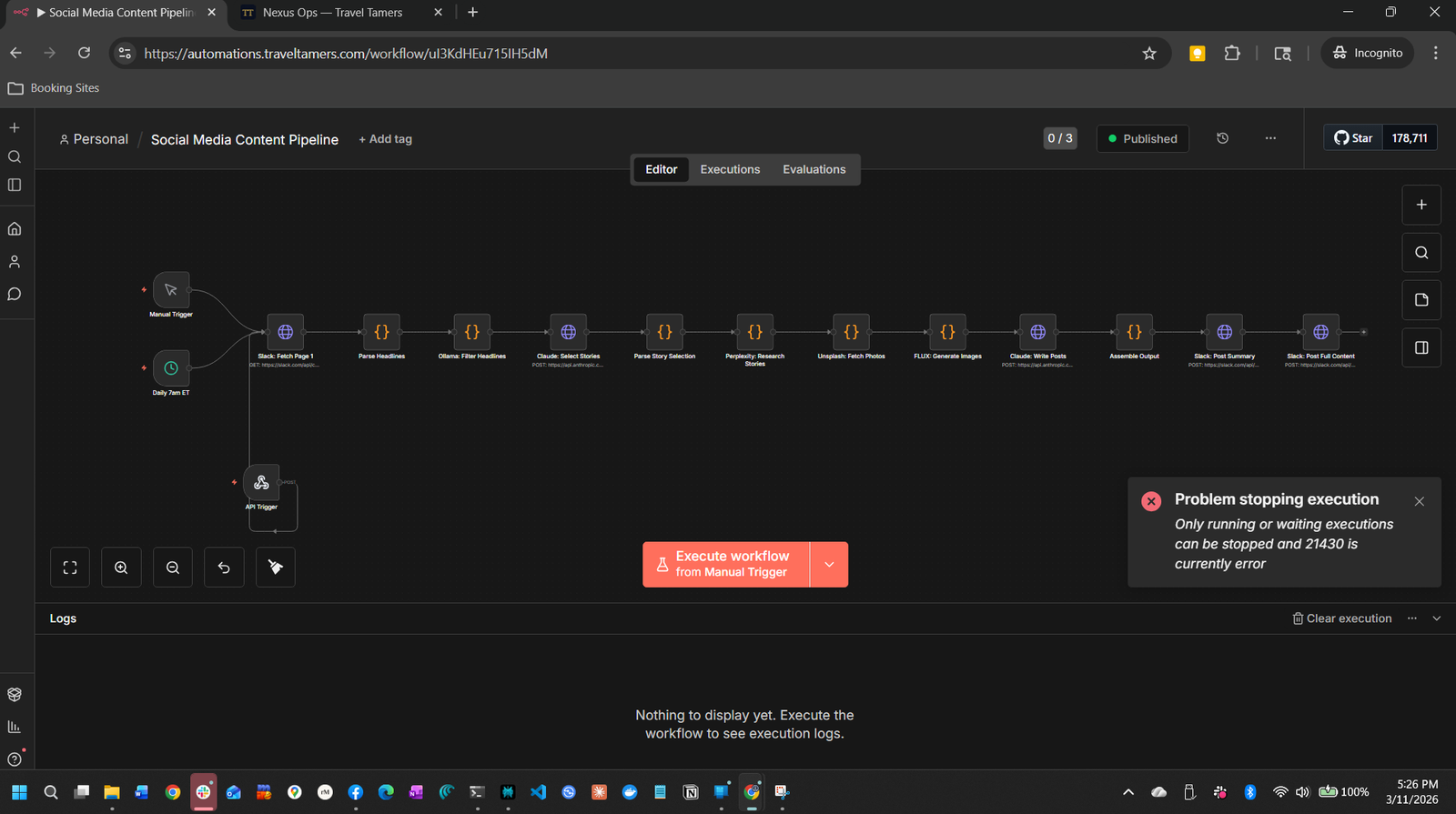
The flagship automation. Once per day (or via manual or API trigger), A-1 generates a full day of social media content: five curated travel stories, each with custom images, written for three platforms — LinkedIn, Facebook, and Instagram. It combines real-time news research, AI filtering, professional photography, and AI-generated imagery into a cohesive content package delivered to Slack for human review.
The full walkthrough — every node, every prompt template, every data transformation — is kept alongside the running workflow on the VPS and distilled inline below.
Node Chain (14 nodes)
Cron 7am / Manual / API → Fetch Headlines → Parse → Google Trends → Claude Filter → Claude Select Top 5 → Parse Selection → Perplexity Research → Unsplash Photos → FLUX Images → Claude Write Posts → Assemble Output → Slack Summary → Slack Full ContentTrigger
Three entry points: daily cron at 7am EST, manual button in n8n, or API trigger via webhook URL.
Cron / Manual / Webhook
Fetch → Parse → Google Trends
Pulls last 24 hours of messages from #feed-travel-news Slack channel, parses headlines, then cross-references with Google Trends to find what resonates.
Slack API + HTTP Request + Code Node
Claude Filter → Claude Select Top 5
Two-stage AI curation. First pass sends headlines to Ollama (num_ctx: 16384) for classification, filtering to ~20–40 candidates. Second pass uses Claude Sonnet to select the top 5 stories for Travel Tamers' tech-executive audience.
Ollama + Anthropic API (Claude Sonnet)
Perplexity Research (x5 parallel)
Each selected story gets real-time web research via Perplexity to add context, statistics, and angles for credibility.
Perplexity API
Unsplash Photos + FLUX Images (x5 each)
Each story gets two image options: professional stock photo from Unsplash and a custom AI image from FLUX via Replicate ($0.01–0.05 per image, 12s sleep between calls for rate limiting).
Unsplash API + Replicate API
Claude Write Posts (x5)
Claude writes platform-specific versions: LinkedIn gets thought-leadership, Facebook gets community engagement, Instagram gets visual-first captions with hashtags. Character limits enforced (LinkedIn 3000, IG 2200, FB 63206).
Anthropic API (Claude Sonnet)
Assemble → Slack Summary → Slack Full Content
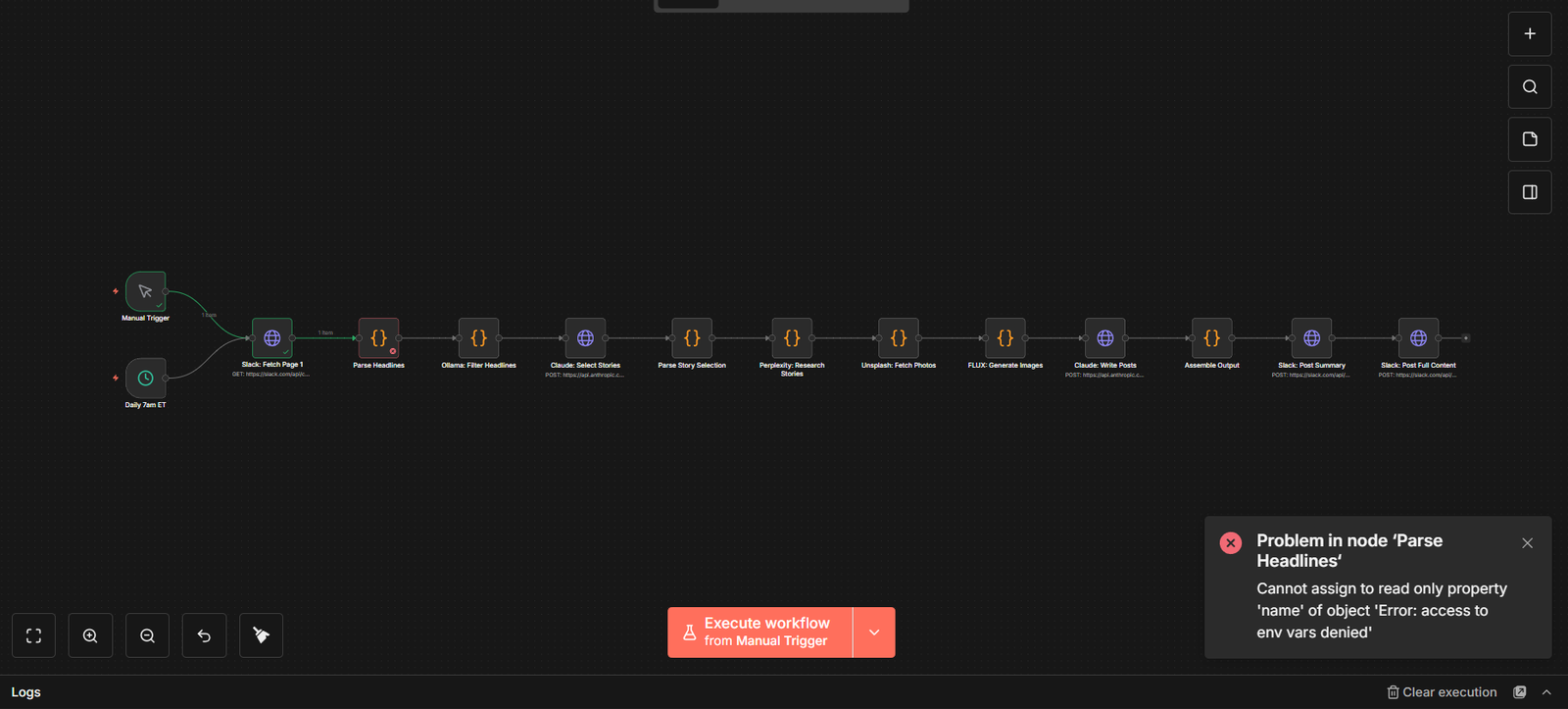
Posts to #content-review in two messages: summary card with all 5 headlines, then individual posts with full content and images. Reviewers approve with a checkmark emoji to trigger A-2 (Emoji Approve → Buffer Publish).
Slack Bot API
Output per Run
| Metric | Count |
|---|---|
| Stories generated | 5 |
| Platform variations | 3 (LinkedIn, Facebook, Instagram) |
| Total post drafts | 15 |
| Images per story | 2 (Unsplash + FLUX) |
| Approx. Claude API cost | ~$0.15 per full run |
Error Handling
- Ollama timeout (>5 min): Retry once, then skip classification and send raw headlines to Claude.
- Perplexity failure: Skip that story, proceed with remaining.
- FLUX rate limit: Use Unsplash image only, skip AI image generation.
- Full pipeline failure: Post error to
#automation-errorsfor manual review.
Emoji Approve → Buffer Publish
The companion workflow to the content pipeline. When a reviewer in Slack reacts to a
generated post with a checkmark emoji in #content-review, this workflow picks
it up, parses the post content, queues it in Buffer via the GraphQL API for LinkedIn,
Facebook, and Instagram, saves it to the Nexus social_posts table, and confirms
with a rocket emoji reaction.
"Active version not found" fix: After deploying workflows via the n8n CLI, the emoji approve workflow (and others) threw "Active version not found" errors on execution. This was caused by workflows being imported but not published. The fix was running
n8n publish:workflow --id=IDon all 35 deployed workflows. In n8n 2.x,update:workflow --active=trueis deprecated — you must usepublish:workflowinstead. See the n8n 2.x Changes section.
Node Chain (10 nodes)
Webhook (reaction_added) → Route → Respond OK + Should Process → Check Approve/Rewrite → Fetch Message → Parse Post Content → Buffer GraphQL Post → Save to Nexus → React with RocketSlack Webhook
Triggered by reaction_added event from Slack. Listens for the heavy_check_mark emoji on messages in #content-review.
Slack Events API
Route → Respond OK → Should Process
Immediately responds with 200 OK to Slack (required within 3 seconds), then filters out duplicate reactions, bot reactions, and non-content messages.
Code Node + IF Node
Check Approve vs. Rewrite
Distinguishes between approval (checkmark) and rewrite request (pencil emoji). Approvals proceed to Buffer; rewrites route back to Claude for content revision.
Switch Node
Fetch Message → Parse Post Content
Retrieves the full Slack message via conversations.history API, then parses structured post content from message blocks — extracting platform-specific text, images, and the story title from header blocks.
Slack API + Code Node
Buffer GraphQL → Save to Nexus → Rocket React
Uses the Buffer GraphQL API (api.buffer.com) with the CreatePost mutation to schedule posts for LinkedIn, Facebook, and Instagram with attached images. Requires a User-Agent: TravelTamers-n8n/1.0 header to avoid Cloudflare 403 blocks. Writes the approved post to Nexus social_posts table for tracking. Adds a rocket emoji to confirm the post is queued.
Buffer GraphQL API + PostgreSQL + Slack API
Slack Approval Emojis
| Emoji | Code | Action | Status |
|---|---|---|---|
| ✔️ | :heavy_check_mark: | Approve → queue to Buffer | Wired |
| ❌ | :x: | Reject (discard) | Reserved |
| ❓ | :alphabet-white-question: | Needs clarification | Reserved |
The Parse Post Content Regex Fix
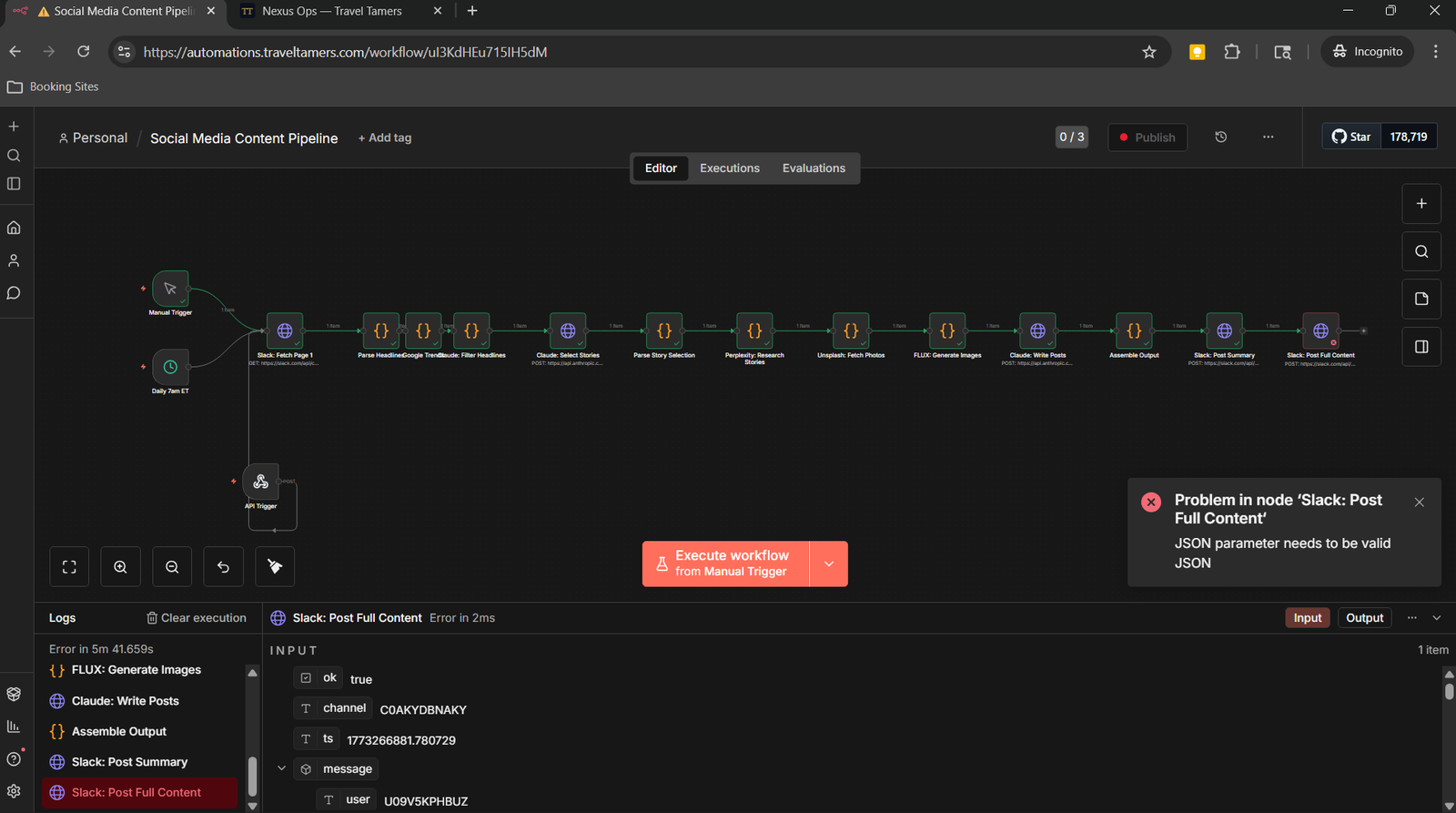
The "Parse Post Content" node in the Emoji Approve workflow is the most critical and most-debugged piece of code in the automation stack. It must reliably extract platform-specific post text and image URLs from Slack message blocks — a format that changed several times during development.
The Problem
Slack messages use a block-based format where each platform's post appears as a
section block with a bold header (e.g., *:linkedin: LinkedIn*).
The original parser used simple string matching that broke when Slack's block format
changed or when emoji shortcodes were used inconsistently. Posts would fail to parse,
and Buffer would receive empty content.
The Solution: fix-parse-regex.py
Rather than editing the node directly in the n8n UI (which is error-prone for complex
JavaScript), a Python script was created at automations/fix-parse-regex.py.
This script reads a workflow JSON from stdin, replaces the "Parse Post Content" node's
jsCode with a battle-tested version, strips the JSON to only API-allowed
fields, and outputs the result for a PUT request to the n8n API.
# Usage: pipe workflow JSON through the fixer, then PUT to n8n API
curl -s "https://automations.traveltamers.com/api/v1/workflows/WORKFLOW_ID" \
  -H "X-N8N-API-KEY: $N8N_API_KEY" \
  | python3 automations/fix-parse-regex.py \
  | curl -X PUT "https://automations.traveltamers.com/api/v1/workflows/WORKFLOW_ID" \
    -H "X-N8N-API-KEY: $N8N_API_KEY" \
    -H "Content-Type: application/json" \
    -d @-
What the Fixed Parser Does
The replacement Code node iterates through every block in the Slack message:
- Image blocks (
type === "image"): Collects allimage_urlvalues into an array. - Section blocks: Uses flexible matching with multiple patterns per platform:
- LinkedIn:
*:linkedin:or*LinkedIn - Instagram:
*:camera:or*Instagram - Facebook:
*:facebook:or*Facebook
- LinkedIn:
- Header blocks: Extracts the story title from
headertype blocks. - Fallback: If no platform-specific blocks found, uses the raw
message.texttruncated to platform limits.
Key pattern: The regex
new RegExp("^[*][^*]+[*]\\n?")strips the bold platform header from each section's text, leaving just the post body. This is the line that broke most often and prompted the Python fix script approach.
Iteration History
The automations/ directory contains the debug trail: emoji-raw.json,
emoji-raw2.json, emoji-raw3.json, emoji-raw4.json,
and their corresponding fixed versions. Each iteration addressed a different edge case in
Slack's block format. The final version (emoji-with-nexus.json) adds the
Nexus CRM save step.
Credentials
Three credentials are configured directly in the n8n UI. These are stored encrypted in n8n's internal SQLite database and referenced by workflows via credential ID. Actual credential values aren't stored in the codebase.
| Credential | Type | Used By |
|---|---|---|
| Slack Bot Token | OAuth2 / Bot Token | All Slack notification, approval, and monitoring workflows |
| TT Fresh DB | PostgreSQL (direct) | Lead scoring, booking queries, analytics, contact lookups |
| Nexus CRM DB | PostgreSQL (direct) | Social posts, marketing sequences, CRM data writes |
Data volume warning: Credentials are stored in n8n's encrypted database, not in environment variables. If you reset the n8n container without preserving its data volume, all three credentials will need to be re-created manually in the n8n UI.
OAuth callbacks (n8n 2.6.3): OAuth callbacks now enforce user authentication. You must be logged into the n8n UI before initiating an OAuth flow, or the callback will fail with an auth error. This is a change from n8n 1.x where OAuth callbacks were unauthenticated.
Additional API keys are passed via environment variables in Docker Compose (see
Environment Variables below). These are accessed in workflows
via the $env variable in Code nodes or as HTTP header values.
Environment Variables
The n8n container receives environment variables through
docker-compose.production.yml, including API keys for all external services,
3 Buffer profile IDs, and 12 Slack channel IDs for routing notifications. After the R9
migration, 29 workflows reference these via $env.VARIABLE_NAME instead of
hardcoding values in workflow JSON.
API Keys & Tokens
| Variable | Service | Purpose |
|---|---|---|
ANTHROPIC_API_KEY | Claude AI | Content generation, filtering, analysis |
BUFFER_ACCESS_TOKEN | Buffer | Social media scheduling (GraphQL API at api.buffer.com) |
UNSPLASH_ACCESS_KEY | Unsplash | Stock photography search |
REPLICATE_API_TOKEN | Replicate (FLUX) | AI image generation |
PERPLEXITY_API_KEY | Perplexity | Real-time web research |
TT_API_KEY | TT-API (Hono) | Authenticated webhook calls to the API |
SLACK_BOT_TOKEN | Slack | Bot API access for messages and reactions |
SLACK_SIGNING_SECRET | Slack | Webhook signature verification |
WEBHOOK_SECRET | TT-API / Nexus | Shared secret for n8n → TT-API callback auth (sent as X-Webhook-Secret header) |
N8N_WEBHOOK_SECRET | Nexus | Nexus-specific n8n callback auth (separate from WEBHOOK_SECRET) |
Buffer Profile IDs
| Variable | Platform |
|---|---|
BUFFER_PROFILE_LINKEDIN | LinkedIn company page |
BUFFER_PROFILE_FACEBOOK | Facebook business page |
BUFFER_PROFILE_INSTAGRAM | Instagram business profile |
Slack Channel IDs (12 vars)
Twelve Slack channels are configured by ID rather than name, ensuring workflows don't break if channels are renamed. Both Shane and Debby are invited to all channels.
| Variable | Channel | Purpose |
|---|---|---|
SLACK_CHANNEL_CONTENT_REVIEW | #content-review | AI-generated social posts for approval |
SLACK_CHANNEL_MONITORING | #monitoring | Health check alerts and system status |
SLACK_CHANNEL_SALES_ALERTS | #sales-alerts | New leads, deals, pipeline changes |
SLACK_CHANNEL_AUTOMATION_ERRORS | #automation-errors | n8n workflow failures and error details |
SLACK_CHANNEL_BOOKINGS | #bookings | Booking confirmations and updates |
SLACK_CHANNEL_TRIP_UPDATES | #trip-updates | Pre-trip, during-trip, post-trip messages |
SLACK_CHANNEL_GROUPS | #groups | Group trip lifecycle events |
SLACK_CHANNEL_REFERRALS | #referrals | Referral tracking and rewards |
SLACK_CHANNEL_PAYMENTS | #payments | Payment reminders and confirmations |
SLACK_CHANNEL_LEADS | #leads | Lead scoring and qualification updates |
SLACK_CHANNEL_GENERAL | #general | General notifications and digests |
SLACK_CHANNEL_RETENTION | #retention | Re-engagement and loyalty notifications |
n8n-specific vars: The container also receives standard n8n configuration:
N8N_BASIC_AUTH_ACTIVE,N8N_BASIC_AUTH_USER,N8N_BASIC_AUTH_PASSWORD, andWEBHOOK_URL(set tohttps://automations.traveltamers.com).
Webhook Secrets
Two separate webhook secrets handle authentication between n8n and the backend services. They're distinct values with distinct purposes — don't mix them up.
| Secret | Set In | Used For | Validated By |
|---|---|---|---|
WEBHOOK_SECRET |
n8n env + TT-API .env |
n8n → TT-API webhook calls (sent as X-Webhook-Secret header) |
TT-API middleware at /webhooks/* |
N8N_WEBHOOK_SECRET |
Nexus .env |
n8n → Nexus callback auth (sent as X-Webhook-Secret header) |
Nexus at /api/n8n/webhook/:action with timing-safe comparison |
How it works in workflows: n8n workflows reference
$env.WEBHOOK_SECRETin HTTP Request nodes that call back to TT-API. For Nexus callbacks, they use the same$env.WEBHOOK_SECRETvalue, but Nexus validates it against its ownN8N_WEBHOOK_SECRETenvironment variable. Both sides must have matching values for the timing-safe comparison to pass.
Secret Flow Diagram
n8n Container WEBHOOK_SECRET = "abc123" (from docker-compose env) | | X-Webhook-Secret: abc123 | +----+----+ +--------+ | TT-API | | Nexus | | WEBHOOK_ | | N8N_WEB | | SECRET | | HOOK_SE | | = abc123| | CRET | +---------+ | = abc..| +--------+ Both validate with crypto.timingSafeEqual()Email Templates
Transactional email templates are designed for use with React Email and sent via Resend.
The templates directory is at automations/emails/ and uses the React Email
component library to build responsive HTML emails that match the Dark Sanctuary brand.
Template registry: The full list of planned email templates is documented in section 5 of
architecture/automation-workflows.md. Templates cover welcome sequences, booking confirmations, pre-trip guides, feedback surveys, review requests, referral invitations, and more.
Template Categories
| Category | Templates | Used By |
|---|---|---|
| Onboarding | Welcome email, preference questionnaire | A-18, A-19 |
| Proposals | Proposal link, follow-up (3-day) | A-13, A-15 |
| Booking | Confirmation, itinerary, payment receipt | A-24, A-26 |
| Pre-Trip | Document checklist, packing list, bon voyage | A-29, A-30, A-35 |
| Post-Trip | Welcome home, feedback survey, review request | A-39, A-40, A-41 |
| Retention | Anniversary, birthday, referral invite | A-45, A-49, A-53 |
| Newsletter | Quarterly newsletter | A-48 |
Tech Stack
- React Email for building templates as React components with responsive layouts.
- Resend as the email delivery service (replaces raw SMTP).
- Templates use the Dark Sanctuary color palette: navy backgrounds, off-white text, gold accents.
- The
automations/package.jsonmanages React Email dependencies.
Development
The n8n instance is accessible at automations.traveltamers.com (basic-auth protected). Here are the key concepts for working with workflows effectively.
The n8n Editor
n8n provides a visual node-based workflow builder. Each node represents an operation — an HTTP request, a code block, a database query, or a service integration. Nodes pass data along edges. You can click any node to inspect configuration, test in isolation, or view the data from the last execution.
Critical gotcha: When editing a workflow in the browser, the editor runs the version loaded in the editor, NOT the saved/active version. If you deploy a workflow update via the API, you must refresh the browser to pick up changes. Otherwise "Execute" will run the stale version.
n8n expression engine: n8n's expression engine does NOT support optional chaining (
?.). If you write{{$json.contact?.email}}it will silently evaluate to an empty string. Use$json.contact.emailwith a preceding filter node, or flatten the data in a Code node first.
Workflow Versioning
Workflow JSONs are stored in the automations/ directory of the monorepo. When
you make changes in the n8n UI, export the updated workflow JSON and commit it to the repo.
This ensures the codebase remains the source of truth and workflows can be redeployed.
JSON Export/Import
# Export a workflow from n8n API
curl -s "https://automations.traveltamers.com/api/v1/workflows/WORKFLOW_ID" \
  -H "X-N8N-API-KEY: $N8N_API_KEY" > automations/my-workflow.json

# Import a workflow via CLI (inside the n8n container)
n8n import:workflow --input=/path/to/workflow.json

# Or via API
curl -X POST "https://automations.traveltamers.com/api/v1/workflows" \
  -H "X-N8N-API-KEY: $N8N_API_KEY" \
  -H "Content-Type: application/json" \
  -d @automations/my-workflow.json

# IMPORTANT: After importing, you must PUBLISH the workflow (n8n 2.x)
n8n publish:workflow --id=WORKFLOW_ID
The fix-parse-regex.py Approach
For complex Code nodes where precision matters (like the Parse Post Content node), editing
in the n8n UI is error-prone. The pattern established by fix-parse-regex.py
is the recommended approach: write the JavaScript in a file, then use a script to inject
it into the workflow JSON and deploy via the n8n API. This gives you proper version control,
syntax highlighting, and the ability to test the code outside of n8n.
Best Practice
Test Individual Nodes First
Click any node and use "Execute this node" to test it in isolation with sample data. This avoids burning API credits on full pipeline runs. A full content pipeline run costs ~$0.15 in Claude credits — use node-level testing when iterating on prompts.
Cron Workflow Safety
Workflows imported from JSON are imported as inactive by default. This is intentional — cron-triggered workflows fire immediately upon activation, so all environment variables and credentials must be verified first. Review each cron workflow's schedule, confirm it makes sense, then publish it manually.
Key Files in automations/
| File | Purpose |
|---|---|
emoji-approve-buffer.json | Primary emoji approval workflow (production) |
fixed-workflow.json | Content pipeline with fixes applied |
fix-parse-regex.py | Python script to inject fixed parser into workflow JSON |
emoji-with-nexus.json | Final emoji workflow with Nexus CRM integration |
fixed-content-pipeline.json | Content pipeline with all fixes |
package.json | React Email dependencies for email templates |
lead-generation.json | Lead generation workflow (migrated from Buffer v1 REST to GraphQL API) |
*-payload.json | Debug payloads captured during development |
Slack approval emojis: The standard approval emoji set for all Slack-driven workflows is:
:heavy_check_mark:✔️ (approve),:x:❌ (reject),:alphabet-white-question:❓ (needs clarification). Currently only:heavy_check_mark:triggers automation; reject and question are reserved for future use.
n8n 2.x Breaking Changes
The Travel Tamers instance runs n8n 2.6.3. Several breaking changes from the 1.x → 2.x upgrade affect how workflows are managed and deployed. If you're coming from n8n 1.x documentation or tutorials, these are the gotchas that'll bite you.
CLI Command Changes
| Old (1.x) | New (2.x) | Notes |
|---|---|---|
n8n update:workflow --id=ID --active=true |
n8n publish:workflow --id=ID |
update:workflow is deprecated. Use publish:workflow to activate. |
n8n update:workflow --id=ID --active=false |
n8n unpublish:workflow --id=ID |
Use unpublish:workflow to deactivate. |
workflow.activeChange hook |
workflow.published hook |
Internal event name changed. Affects custom hooks only. |
--tunnel option |
(removed) | The built-in tunnel for webhook testing is gone. Use ngrok or similar. |
Other 2.x Changes
- OAuth callbacks enforce user auth: You must be logged into the n8n UI before starting an OAuth flow. Unauthenticated callbacks are rejected.
- Task runners removed from main image: Python/shell task runners are no longer bundled in the
n8nio/n8nDocker image. If you need Python execution nodes, you must run a separaten8n/runnerscontainer. - Stricter settings file permissions: n8n now checks file permissions on its settings/config files. Make sure the n8n user owns the data volume.
- "Active version not found" errors: Workflows imported via CLI or API that haven't been explicitly published will throw this error when triggered. After importing, always run
n8n publish:workflow --id=ID.
Bulk publish after import: When deploying multiple workflows at once, you must publish each one. On the Travel Tamers instance, all 35 deployed workflows were bulk-published after the initial import to resolve "Active version not found" errors across the board.
Deployment
The n8n instance runs as a Docker container on the VPS, managed through Docker Compose. Workflows are deployed by importing JSON files into the running instance, then publishing them via the CLI.
Docker Container
| Property | Value |
|---|---|
| Image | n8nio/n8n:latest (currently 2.6.3) |
| Port | 5678 (internal) |
| Domain | automations.traveltamers.com (via Traefik) |
| Data Volume | Persistent volume for workflows, credentials, execution history |
| Auth | Basic auth (N8N_BASIC_AUTH_USER / N8N_BASIC_AUTH_PASSWORD) |
Deploy Workflow (n8n 2.x Process)
Copy workflow JSON to VPS
scp workflow.json shane@76.13.120.235:/tmp/
Import into n8n container
sudo docker cp /tmp/workflow.json n8n:/tmp/
sudo docker exec n8n n8n import:workflow --input=/tmp/workflow.json
Check for duplicates
import:workflow creates a new copy — it doesn't update existing workflows. Check the n8n UI for duplicates and note the old and new workflow IDs.
Unpublish the old workflow, publish the new one
sudo docker exec n8n n8n unpublish:workflow --id=OLD_ID
sudo docker exec n8n n8n publish:workflow --id=NEW_ID
Restart n8n
sudo docker restart n8n
Don't use
update:workflow: The old n8n 1.x commandupdate:workflow --active=true/falseis deprecated in n8n 2.x. It may still work but it's unreliable — usepublish:workflowandunpublish:workflowinstead.
Full Deployment Checklist
Verify environment variables
Ensure all env vars (API keys, Buffer profile IDs, Slack channel IDs, webhook secrets, n8n config) are set in the Docker Compose file.
Import workflow JSONs
Import all workflow JSONs using the deploy process above. Workflows are created as inactive by default.
Configure n8n credentials
Create the 3 credentials (Slack Bot Token, TT Fresh DB, Nexus CRM DB) in the n8n UI if they don't already exist.
Publish all workflows
Run n8n publish:workflow --id=ID for each workflow. Without this step, webhook and cron triggers will throw "Active version not found" errors.
Test each workflow
Open each workflow and run manually once to verify all nodes succeed with real credentials.
Monitor first automated runs
Watch #automation-errors in Slack for the first 24 hours after deployment.
Webhook URL Configuration
The WEBHOOK_URL environment variable must be set to
https://automations.traveltamers.com for webhook-triggered workflows to
generate correct callback URLs. This URL is used by Slack event subscriptions and all
inbound webhooks.
Current status (March 2026): 35 workflows deployed and published, 3 API credentials configured, all 12 Slack channel IDs set, 29 workflows migrated to environment variables, Buffer GraphQL API fully integrated. The system has been running stable on n8n 2.6.3 since initial deployment.