Infrastructure
The complete production platform powering Travel Tamers — 10 Docker containers across
4 services, Traefik reverse proxy with automatic TLS, 3 PostgreSQL databases, Redis queues,
fully automated CI/CD with rollback capabilities, and an RSS feed at /rss.xml.
Overview
Travel Tamers runs on a single VPS (76.13.120.235) with all services containerized in Docker. Traefik handles reverse proxying and automatic Let's Encrypt TLS certificates. Three separate PostgreSQL databases serve the API, Nexus CRM, and Groups app, with a Redis instance for BullMQ job queues and caching. A total of 10 Docker containers run in production, organized across two Docker Compose files and three Docker networks.
Compute
Single VPS
All services run on one VPS with Docker Compose orchestration. Memory limits on every container prevent any single service from consuming all resources.
Networking
3 Docker Networks
proxy for Traefik-exposed services, internal for cross-app communication, and nexus-net for the Nexus service mesh.
Storage
3 PostgreSQL + 2 Redis
Data is persisted via named Docker volumes. Database backups run every 6 hours with 30-day retention and Slack failure notifications.
Deployment
GitHub Actions CI/CD
Push to master triggers CI checks, then auto-deploys all 4 services via SSH with health checks and automatic rollback on failure.
Architecture Diagram
All external traffic enters through Traefik on ports 80 (redirected to 443) and 443. Traefik routes requests based on hostname to the appropriate backend service. Internal communication between services happens over Docker networks without hitting Traefik.
                        Internet
                           |
                    Traefik (80/443)
                    Let's Encrypt TLS
                           |
          +----------------+------------------+-------------------+-------------------+
          |                |                  |                   |                   |
  traveltamers.com   api.traveltamers.com  shane.traveltamers.com  groups.*       automations.*
          |                |                  |                   |                   |
     tt-fresh          tt-api            nexus-api             groups              n8n
    (nginx:alpine)   (node:20-alpine)   (node:20-alpine)   (node:20-alpine)     (5678)
     port 80          port 3100          port 3000           port 3000
          |                |                  |
     site/dist        integrations/      nexus-web
     (static)          tt_fresh_db      (nginx:alpine)
                           |              port 80
                       tt-postgres            |
                      (postgres:16)      nexus-db       nexus-redis     nexus-worker
                                        (postgres:16)   (redis:7)      (BullMQ jobs)
                           |
                       tt-redis
                      (redis:7)

Docker Networks:
  [proxy]    — Traefik ↔ all web-facing containers
  [internal] — tt-api ↔ nexus-api (cross-service calls)
  [nexus-net]— nexus-api ↔ nexus-db ↔ nexus-redis ↔ nexus-worker ↔ nexus-web
Nexus travel proxy: Nexus routes
/api/travel/*requests to the TT-API (http://tt-api:3100) over theinternalDocker network with a 10-second timeout, retry logic, and circuit breaker pattern.
Docker Containers
Production runs 10 containers managed by two Docker Compose files: the root
docker-compose.production.yml for the main services, and
nexus/docker/docker-compose.yml for the Nexus stack. Every container has
memory limits, log rotation (10 MB max, 3 files), and health checks.
| Container | Image | Port | Memory | Compose File |
|---|---|---|---|---|
| tt-api | node:20-alpine (multi-stage) |
3100 | 512 MB | docker-compose.production.yml |
| tt-fresh | nginx:alpine |
80 | 128 MB | docker-compose.production.yml |
| tt-postgres | postgres:16-alpine |
5432 | 1 GB | docker-compose.yml (root) |
| tt-redis | redis:7-alpine |
6379 | 256 MB | docker-compose.yml (root) |
| groups | node:20-alpine |
3000 | — | groups docker-compose |
| nexus-api | node:20-alpine (multi-stage) |
3000 | 512 MB | nexus/docker/docker-compose.yml |
| nexus-web | nginx:alpine |
80 | 256 MB | nexus/docker/docker-compose.yml |
| nexus-worker | node:20-alpine (multi-stage) |
— | 512 MB | nexus/docker/docker-compose.yml |
| nexus-db | postgres:16-alpine |
5432 | 1 GB | nexus/docker/docker-compose.yml |
| nexus-redis | redis:7-alpine |
6379 | 256 MB | nexus/docker/docker-compose.yml |
| n8n | n8nio/n8n:2.6.3 |
5678 | — | automations compose |
Dockerfiles
All application containers use multi-stage builds for minimal image size. The Nexus API and worker share the same Dockerfile with different CMD entrypoints. The TT-API runs Hono 4.12.7 on compiled JavaScript (not tsx) in production.
# Stage 1: Builder (with native module deps)
FROM node:20-alpine AS builder
RUN apk add --no-cache python3 make g++ vips-dev
COPY package*.json ./
RUN npm ci
COPY tsconfig.json drizzle.config.ts src/ ./
RUN npm run build

# Stage 2: Production
FROM node:20-alpine
RUN apk add --no-cache vips
COPY --from=builder /app/dist ./dist
COPY --from=builder /app/node_modules ./node_modules
EXPOSE 3100
HEALTHCHECK --interval=30s --timeout=3s \
  CMD wget -qO- http://localhost:3100/health || exit 1
USER node
CMD ["node", "dist/index.js"]
FROM node:20-alpine
COPY package*.json ./
RUN npm ci
COPY . .
RUN npx tailwindcss -i ./src/input.css -o ./public/css/tailwind.css --minify
RUN npm prune --production
EXPOSE 3000
HEALTHCHECK --interval=30s --timeout=3s \
CMD wget -qO- http://localhost:3000/health || exit 1
RUN addgroup -g 1001 -S appgroup && adduser -u 1001 -S appuser -G appgroup
USER appuser
CMD ["node", "server.js"]# Stage 1: Install ALL deps (including devDeps for tsc)
FROM node:20-alpine AS deps
COPY package.json package-lock.json* ./
RUN npm ci && npm cache clean --force
# Stage 2: Compile TypeScript
FROM deps AS build
COPY tsconfig.json src/ ./
RUN rm -rf src/client src/tests && npx tsc
RUN cp -r src/db/migrations dist/db/migrations
# Stage 3: Production image
FROM node:20-alpine AS production
RUN addgroup -g 1001 -S nexus && adduser -S nexus -u 1001 -G nexus
COPY package.json package-lock.json* ./
RUN npm ci --omit=dev && npm cache clean --force
COPY --from=build /app/dist ./dist
USER nexus
EXPOSE 3000
HEALTHCHECK --interval=30s --timeout=10s --start-period=30s --retries=3 \
CMD node -e "fetch('http://localhost:3000/api/health')..."
CMD ["node", "dist/index.js"]Shared image: The
nexus-workercontainer uses this same Dockerfile but overrides the CMD tonode dist/workers/index.js.
# Stage 1: Build React app with Vite
FROM node:20-alpine AS build
COPY src/client/package.json src/client/package-lock.json* ./
RUN npm ci && npm cache clean --force
COPY src/client/ ./
RUN npx vite build

# Stage 2: Serve with Nginx
FROM nginx:alpine AS production
COPY docker/nginx-frontend.conf /etc/nginx/conf.d/default.conf
COPY --from=build /app/dist /usr/share/nginx/html
EXPOSE 80
HEALTHCHECK --interval=30s --timeout=5s --retries=3 \
  CMD wget --spider -q http://localhost:80/ || exit 1
CMD ["nginx", "-g", "daemon off;"]
Redis fallback:
docker-compose.production.ymlincludesREDIS_URL: ${REDIS_URL:-}for the TT-API container. On the VPS this is an empty string because nexus-redis runs on a different Docker network (nexus-net) and isn't accessible to tt-api. TT-API gracefully falls back to in-memory rate limiting when Redis is unavailable.
Databases
Three separate PostgreSQL 16 instances serve the platform. Each runs in its own Docker
container with persistent named volumes. All databases use UUIDs for primary keys, soft
deletes via deletedAt timestamps, and store monetary values in cents. A
database unification plan exists to consolidate into a single instance.
| Database | Container | Tables | Serves | ORM |
|---|---|---|---|---|
| tt_fresh_db | tt-postgres |
52 | API Server (Hono 4.12.7) | Drizzle ORM |
| nexus_crm | nexus-db |
54 | Nexus Ops Hub (Fastify) | Drizzle ORM |
| groups_db | tt-postgres |
13 | Groups App (Express) | pg (raw SQL) |
Schema Architecture
tt_fresh_db (52 tables)
The main API database. 7 Drizzle schema modules in integrations/src/db/schema/: companies, clients,
bookings, trips, financial, vendors, marketing, analytics, and groups. This is the source of truth for all
travel data — contacts, deals, bookings, payments, commissions, proposals, and email sequences.
Schema Architecture
nexus_crm (54 tables)
The Nexus operations database with 60 pgEnum definitions (all prefixed with nx_)
and 68 columns migrated from VARCHAR to pgEnum types. Houses CRM data, marketing automation, service desk,
workflow engine, and knowledge base tables. Travel data is proxied to the TT-API — Nexus is not
the source of truth for travel operations.
Schema Architecture
groups_db (13 tables)
Social trip-planning data: trips, legs, users, posts, comments, votes, and AI-generated images.
Accessed via SSH tunnel in local development. Migrations managed by custom SQL runner
(trips/migrations/run.js).
Unification plan: See
architecture/db-unification-plan.mdfor the strategy to consolidate these three databases. Phase 1 focuses on shared types and foreign key constraints across boundaries.
Traefik Reverse Proxy
Traefik 3 runs as the edge router, handling TLS termination, HTTP-to-HTTPS redirects, and hostname-based routing to backend containers. It discovers services automatically via Docker labels and manages Let's Encrypt certificates via the ACME HTTP challenge.
Entrypoints
| Name | Port | Behavior |
|---|---|---|
| web | 80 | Permanent redirect to websecure (HTTPS) |
| websecure | 443 | TLS termination with Let's Encrypt, security headers + rate limiting middleware |
Routing Rules
Each service declares its routing rules via Docker labels. Traefik watches the Docker socket and automatically registers routes when containers start.
| Hostname | Container | Port | Notes |
|---|---|---|---|
traveltamers.com |
tt-fresh | 80 | Also matches www. (nginx handles redirect). RSS feed at /rss.xml generated at build time from blog content collection. |
api.traveltamers.com |
tt-api | 3100 | — |
shane.traveltamers.com |
nexus-api / nexus-web | 3000 / 80 | API paths (/api, /socket.io, etc.) route to nexus-api; everything else to nexus-web (priority 1) |
groups.traveltamers.com |
groups | 3000 | — |
automations.traveltamers.com |
n8n | 5678 | n8n 2.6.3, 31 active workflows, webhook endpoints |
TLS Configuration
# Certificate resolver (from infrastructure/traefik/traefik.yml)
certificatesResolvers:
  letsencrypt:
    acme:
      email: shane@traveltamers.com
      storage: /letsencrypt/acme.json
      httpChallenge:
        entryPoint: web
SSL monitoring: The health check script checks certificate expiry for all 4 domains and sends Slack alerts when any certificate expires within 14 days.
Middleware
Traefik applies security-headers and rate-limit middleware globally
on the websecure entrypoint. These are defined in a dynamic configuration file
(/etc/traefik/dynamic.yml) that Traefik watches for changes. Additional rate
limiting is applied at the Nginx level for the Nexus frontend.
# Nexus nginx rate limit zones (nexus/docker/nginx/nginx.conf)
limit_req_zone $binary_remote_addr zone=api:10m rate=30r/s;
limit_req_zone $binary_remote_addr zone=auth:10m rate=5r/s;
limit_req_zone $binary_remote_addr zone=general:10m rate=60r/s;
Font Self-Hosting
The marketing site self-hosts all web fonts as WOFF2 variable files, with no dependency on Google Fonts CDN. This improves page load performance (no external DNS lookup or connection), enhances privacy (no requests to Google), and ensures fonts load even if Google's CDN is down.
Font Files
| File | Font | Subset | Weights |
|---|---|---|---|
site/public/fonts/playfair-display-latin.woff2 |
Playfair Display | Latin | 400–700 (variable) |
site/public/fonts/playfair-display-latin-ext.woff2 |
Playfair Display | Latin Extended | 400–700 (variable) |
site/public/fonts/source-sans-3-latin.woff2 |
Source Sans 3 | Latin | 400–700 (variable) |
site/public/fonts/source-sans-3-latin-ext.woff2 |
Source Sans 3 | Latin Extended | 400–700 (variable) |
Variable fonts: Both font families use variable font files that cover all weights from 400 to 700 in a single file. This is more efficient than loading separate files for each weight (regular, medium, semibold, bold).
Image Self-Hosting
Partner and experience imagery is self-hosted in the site/public/images/ directory,
eliminating runtime dependencies on Unsplash or other external image CDNs. All hero images and
partner logos are served directly from the static site container.
Partner Assets
Each of the 9 cruise and travel partners has a hero image and a logo stored in
site/public/images/partners/. Logos are PNG files ranging from 6 KB to 138 KB.
| Partner | Hero Image | Logo |
|---|---|---|
| Celebrity Cruises | celebrity-cruises-hero.jpg |
celebrity-cruises-logo.png |
| Silversea | silversea-hero.jpg |
silversea-logo.png |
| Cunard | cunard-hero.jpg |
cunard-logo.png |
| Virgin Voyages | virgin-voyages-hero.jpg |
virgin-voyages-logo.png |
| Regent Seven Seas | regent-seven-seas-hero.jpg |
regent-seven-seas-logo.png |
| AmaWaterways | amawaterways-hero.jpg |
amawaterways-logo.png |
| Norwegian Cruise Line | ncl-hero.jpg |
ncl-logo.png |
| HX Expeditions | hx-expeditions-hero.jpg |
hx-expeditions-logo.png |
| National Geographic Expeditions | national-geographic-expeditions-hero.jpg |
national-geographic-expeditions-logo.png |
Experience Hero Images
Each experience category has a self-hosted hero image in
site/public/images/experiences/:
expedition-cruises-hero.jpgriver-cruises-hero.jpgcurated-group-trips-hero.jpgeclipse-voyages-hero.jpgluxury-rail-hero.jpgsafari-hero.jpgculinary-journeys-hero.jpgteam-offsites-hero.jpg
No external image dependencies: The CSP
img-srcdirective still allowsimages.unsplash.comas a fallback, but all partner and experience pages now reference local files. Blog posts may still use Unsplash URLs in their frontmatter.
CI/CD Pipeline
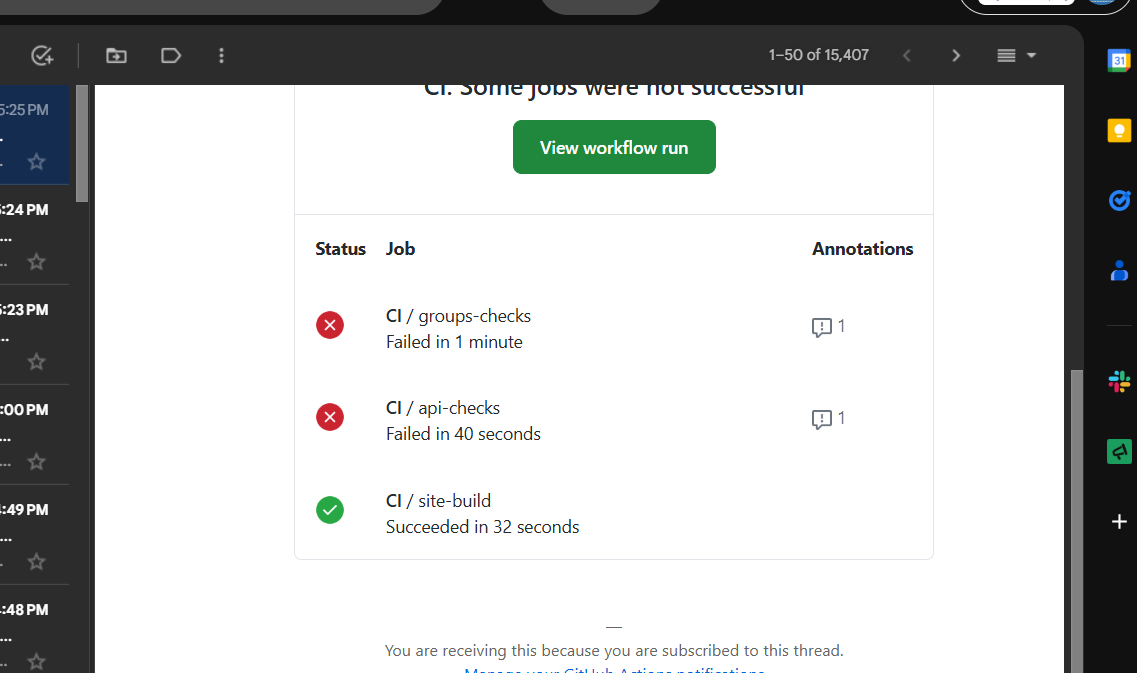
Two GitHub Actions workflows handle continuous integration and deployment. The CI workflow
runs on every push and pull request to master. The deploy workflow runs only
on pushes to master and depends on CI passing first.
CI Workflow (.github/workflows/ci.yml)
Five parallel jobs validate the entire monorepo:
| Job | What It Checks | Details |
|---|---|---|
| api-checks | TypeScript, ESLint, Tests | npm run typecheck, npm run lint, npm test in integrations/ |
| groups-checks | Migrations, Tests | Spins up PostgreSQL 16 service container, runs migrations + 130 Jest tests |
| site-build | Astro Build | npm run build in site/ — validates all pages, components, content collections |
| nexus-checks | TypeScript, Frontend Build | tsc --noEmit for backend, vite build for React frontend |
| security-audit | npm audit | Audits all 4 apps at --audit-level=high (continue-on-error) |
Deploy Workflow (.github/workflows/deploy.yml)
Triggered on pushes to master and via workflow_dispatch.
Uses concurrency control (group: deploy, cancel-in-progress: false)
to prevent simultaneous deployments. Depends on the CI workflow passing first.
Three parallel deploy jobs run after CI passes:
| Job | Service | Health Check | Rollback |
|---|---|---|---|
| deploy-api | TT-API | api.traveltamers.com/health |
Docker image tag rollback |
| deploy-site | Marketing Site | traveltamers.com/ |
dist-old directory swap |
| deploy-groups | Groups App | groups.traveltamers.com/health |
— |
Nexus is not in the deploy workflow. Because Nexus has no git remote, it is deployed manually via tar archive over SSH. See the Deployment Process section below.
Deployment Process
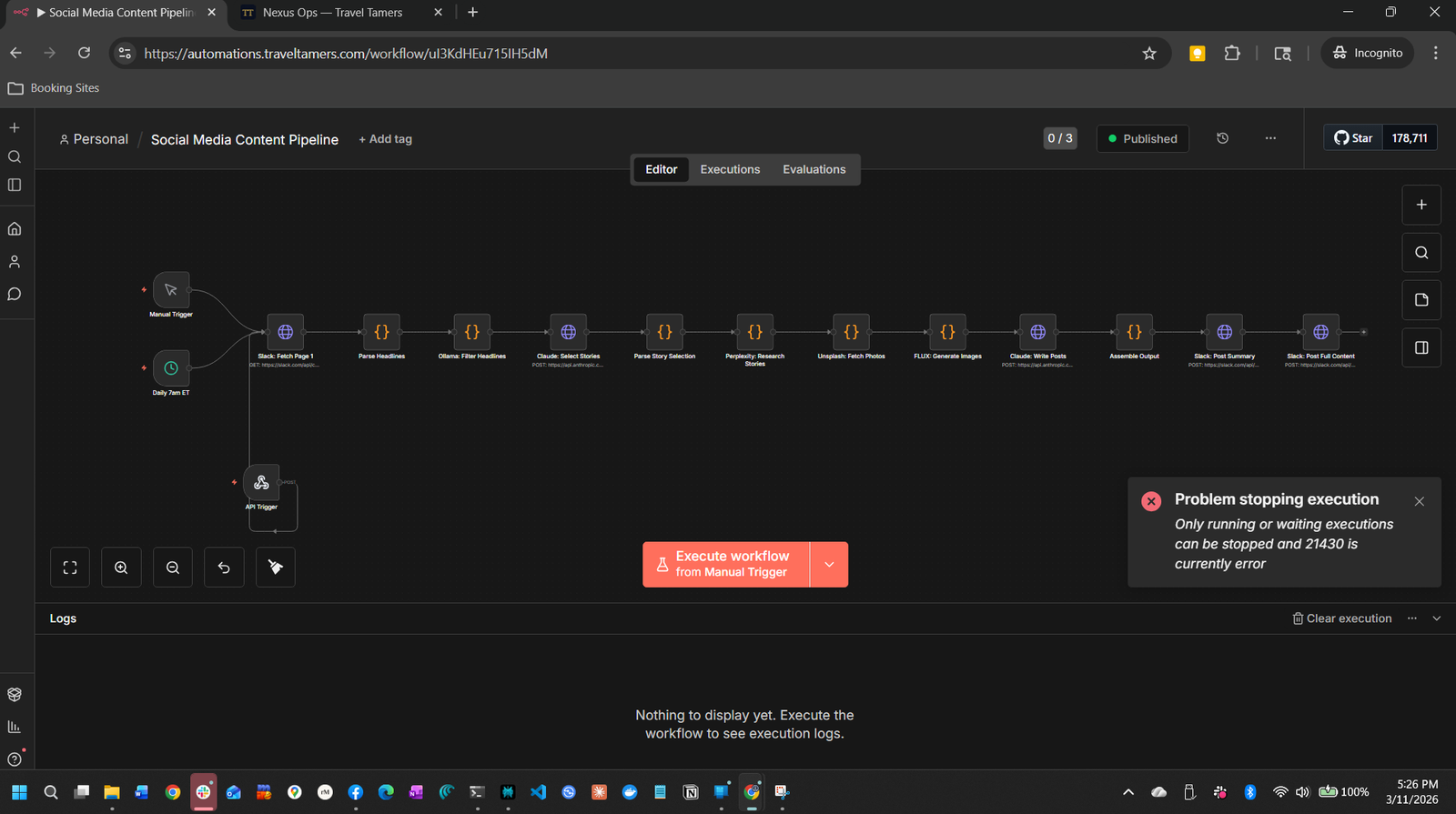
Standard services deploy automatically via GitHub Actions. Nexus requires a manual tar deploy due to its separate git subrepo structure. n8n workflows are deployed via CLI import with manual activation management.
Automated Deploy (API, Site, Groups)
Push to master
Developer pushes commits to the master branch on GitHub.
git push
CI Checks
All 5 CI jobs run in parallel: typecheck, lint, tests (82 API + 130 groups), site build, security audit.
GitHub Actions
SSH to VPS
Deploy workflow SSHs into the VPS, saves current commit for rollback, fetches and merges origin/master. If merge fails, the deploy aborts immediately.
appleboy/ssh-action
Build & Restart
Tags current Docker image as :rollback, rebuilds the container, and brings it up with docker compose up -d.
Docker Compose
Health Check
Curls the health endpoint 3 times with 10-second intervals. If all 3 fail, triggers automatic rollback.
curl --fail
Rollback (on failure)
API: restores :rollback Docker image tag. Site: swaps dist-old back to dist. The deploy job then exits with failure status.
Automatic
Manual Deploy (Nexus)
Nexus has its own .git directory and no remote. Deploy by cleaning the VPS
source directory and sending a tar archive:
# From the nexus/ directory locally:

# 1. Clean stale files on VPS
ssh shane@76.13.120.235 "sudo rm -rf /opt/nexus-crm/src/"

# 2. Send current source via tar (excludes node_modules and .git)
tar --exclude=node_modules --exclude=.git -cf - . | \
  ssh shane@76.13.120.235 "sudo tar xf - -C /opt/nexus-crm/"

# 3. Rebuild and restart on VPS
ssh shane@76.13.120.235 "cd /opt/nexus-crm/docker && sudo docker compose up -d --build"
Important:
git archive HEADonly exports committed files. For uncommitted changes, always use thetarapproach shown above.
Deploy n8n Workflows
n8n workflows are imported via CLI. The import:workflow command creates a new copy
of the workflow rather than updating the existing one, so you need to manage activation manually.
As of n8n 2.6.3, the update:workflow command is deprecated — use
publish:workflow and unpublish:workflow instead.
# 1. Copy workflow JSON to VPS
scp workflow.json shane@76.13.120.235:/tmp/

# 2. Import into n8n container (creates a NEW workflow, doesn't update existing)
ssh shane@76.13.120.235 "sudo docker cp /tmp/workflow.json n8n:/tmp/ && \
  sudo docker exec n8n n8n import:workflow --input=/tmp/workflow.json"

# 3. Deactivate old workflow, activate new one
#    IMPORTANT: update:workflow --active is deprecated in n8n 2.6.3
#    Use publish/unpublish instead:
sudo docker exec n8n n8n unpublish:workflow --id=OLD_ID
sudo docker exec n8n n8n publish:workflow --id=NEW_ID

# 4. Restart n8n to pick up changes
sudo docker restart n8n
n8n 2.6.3 known issues: Task runner removal may affect some workflow behaviors. OAuth callback authentication and settings file permissions have known quirks. Check for duplicates after importing —
import:workflowalways creates a new copy, never updates in place.
Backup Strategy
The backup script (scripts/backup-db.sh) runs every 6 hours via cron and
backs up all 3 PostgreSQL databases with gzip compression, empty-file verification, and
30-day retention. It checks for 5 GB free disk space before starting and backs up databases
in priority order (tt_fresh_db first). Failures trigger Slack notifications.
Backup Configuration
| Setting | Value |
|---|---|
| Schedule | Every 6 hours (0 */6 * * *) |
| Location | /backups/traveltamers/ |
| Format | {db_name}-{timestamp}.sql.gz |
| Retention | 30 days |
| Databases | tt_fresh_db, nexus_crm, groups_db (in priority order) |
| Failure notification | Slack webhook via SLACK_BACKUP_WEBHOOK_URL |
Backup Flow
Disk Check
Verifies at least 5 GB of free disk space is available before proceeding.
pg_dump from Container
Runs docker exec {container} pg_dump -U shane {db_name} for each database, piped through gzip.
Verify Non-Empty
Checks that the backup file has content. Empty files are deleted and counted as failures.
Clean Old Backups
Removes backup files older than 30 days per database using find -mtime.
Notify on Failure
If any database backup fails, sends a Slack notification with the database name and timestamp.
Health Monitoring
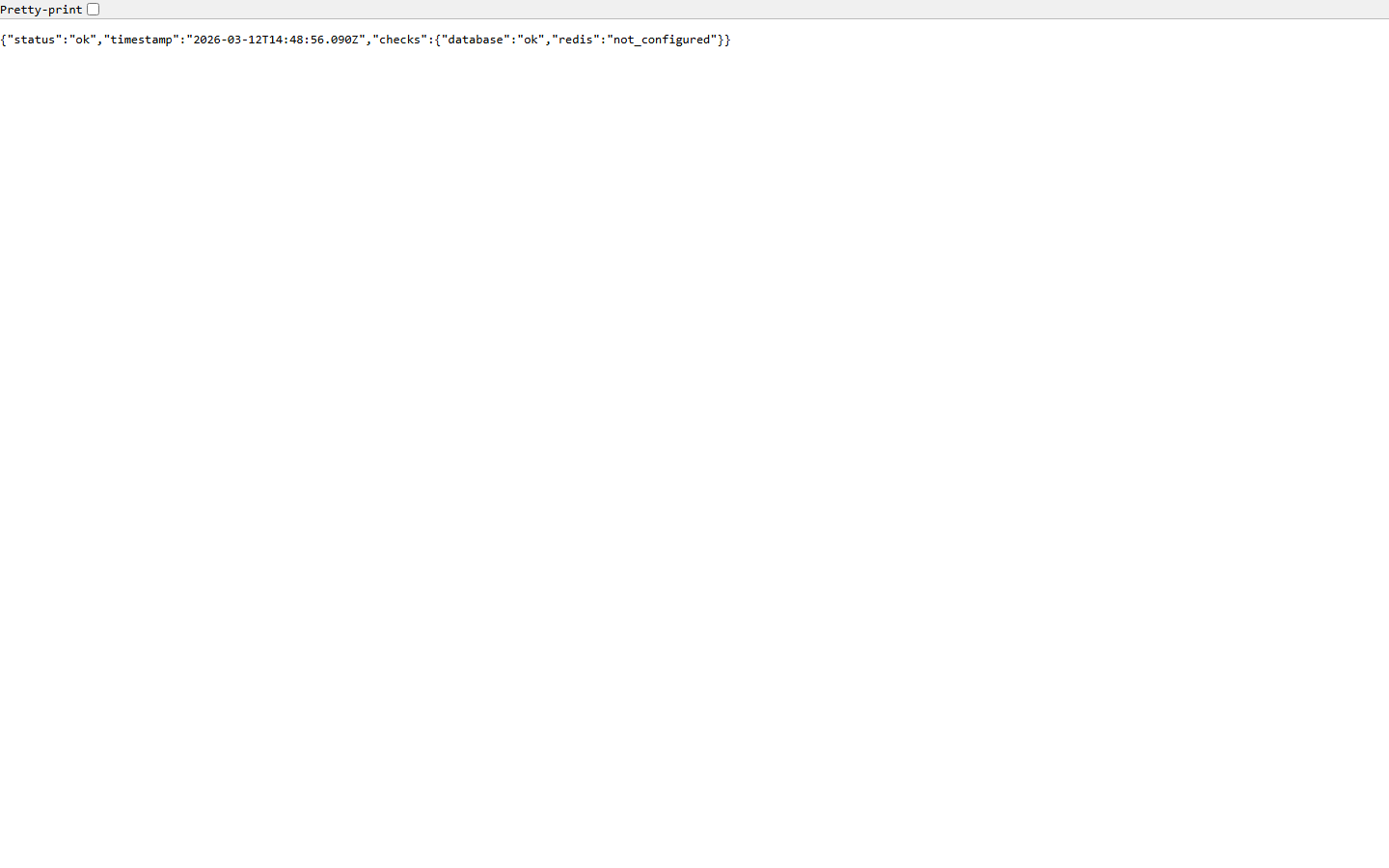
The health check script (scripts/health-check.sh) runs every 5 minutes via cron
and monitors all 4 service endpoints plus SSL certificate expiry. It maintains state between
runs to avoid duplicate alerts and sends recovery notifications when services come back online.
Monitored Endpoints
| Service | URL | Keyword Check |
|---|---|---|
| Marketing Site | https://traveltamers.com |
— |
| API Server | https://api.traveltamers.com/health |
status (verifies DB + Redis connectivity) |
| Groups App | https://groups.traveltamers.com/health |
— |
| Nexus Ops Hub | https://shane.traveltamers.com/api/health |
— |
Alert Behavior
Down Alert
First Failure
Sends a Slack alert to #monitoring with the service name, URL, and timestamp.
Subsequent checks while still down are logged but do not re-alert.
Recovery Alert
Service Restored
When a previously-down service responds with HTTP 200, a recovery notification is sent to Slack confirming the service is back online.
SSL Certificate Monitoring
After checking endpoints, the script verifies SSL certificate expiry for all 4 domains. If any certificate expires within 14 days, a Slack warning is sent with the domain name and days remaining.
| Domain |
|---|
traveltamers.com |
api.traveltamers.com |
groups.traveltamers.com |
shane.traveltamers.com |
Configuration
# Cron entry (runs every 5 minutes)
*/5 * * * * /opt/tt-fresh/scripts/health-check.sh

# State file (tracks up/down status between runs)
/tmp/tt-health-state.json

# Log file
/var/log/tt-health-check.log

# Slack channel: #monitoring (C0AKU3KTAR1)
# Notification method: Slack Bot Token API (chat.postMessage)
Security
Security is applied at every layer: container isolation, network segmentation, TLS termination, Content Security Policy headers, non-root container users, and application-level authentication with timing-safe comparisons.
Container Security
| Measure | Applied To | Details |
|---|---|---|
| Non-root users | All app containers | TT-API runs as node, Groups as appuser:1001, Nexus as nexus:1001 |
| no-new-privileges | tt-api, tt-fresh | security_opt: no-new-privileges:true prevents privilege escalation |
| Memory limits | All containers | 128 MB to 1 GB per container, prevents resource exhaustion |
| Log rotation | All containers | json-file driver, max 10 MB per file, 3 files max |
| Read-only mounts | tt-fresh, nexus-api | Static site and Google credentials mounted as :ro |
Content Security Policy
Both the marketing site and Nexus frontend enforce CSP headers (not Report-Only). The site
allows 'unsafe-inline' for GTM and dark-mode scripts. Nexus has a clean CSP
with no unsafe directives. Font sources reference 'self' for self-hosted WOFF2
files, with fonts.gstatic.com retained as a fallback.
Content-Security-Policy:
  default-src 'self';
  script-src 'self' 'unsafe-inline'
    https://www.googletagmanager.com
    https://www.google-analytics.com;
  style-src 'self' 'unsafe-inline'
    https://fonts.googleapis.com;
  font-src 'self' https://fonts.gstatic.com;
  img-src 'self' data: https://images.unsplash.com
    https://www.google-analytics.com
    https://www.googletagmanager.com;
  connect-src 'self'
    https://www.google-analytics.com
    https://www.googletagmanager.com
    https://api.traveltamers.com;
  frame-src https://www.googletagmanager.com;
  object-src 'none';
  base-uri 'self';
  upgrade-insecure-requests;
Additional Security Headers
X-Frame-Options: DENY
X-Content-Type-Options: nosniff
Strict-Transport-Security: max-age=31536000; includeSubDomains; preload
Referrer-Policy: strict-origin-when-cross-origin
Application Security
- API authentication: X-API-Key header with timing-safe comparison, production keys via
API_KEYSenv var - Inter-service auth: Nexus and TT-API communicate via a shared
INTERNAL_SERVICE_SECRETsent as thex-internal-serviceheader, validated withcrypto.timingSafeEqual(). This covers/api/internal/contacts,/api/internal/deals, and/api/internal/social/track-view. - Nexus auth: JWT with refresh tokens, bcryptjs password hashing, cookie-based sessions, 5-tier RBAC
- Groups auth: bcryptjs password hashing, express-session with PostgreSQL store, CSRF protection
- Slack webhook verification: Required in production (returns 503 if
SLACK_SIGNING_SECRETnot set) - UUID validation: All
:idroute parameters validated as UUIDs (23 route files) - Zod validation: Input validation on all POST/PATCH handlers
- XSS prevention: HTML escaping in Buddy Chat, EJS auto-escaping in Groups
- Credentials removed from git:
access-credentials.mdremoved from tracking and added to.gitignore
Inter-Service Secret Configuration
| Service | Env Var | Usage |
|---|---|---|
| TT-API | INTERNAL_SERVICE_SECRET |
Validates incoming x-internal-service header on /api/internal/* routes with timing-safe comparison |
| Nexus | TT_INTERNAL_SERVICE_SECRET |
Sends as x-internal-service header when calling TT-API's internal endpoints |
VPS setup: Both secrets must match. Set
INTERNAL_SERVICE_SECRETin/opt/tt-fresh/.envandTT_INTERNAL_SERVICE_SECRETin/opt/nexus-crm/.envto the same value.
BullMQ Worker Resilience
All Nexus BullMQ workers have error and stalled event handlers to prevent silent job failures.
Workers use typed job parameters (no as any casts) and support graceful shutdown.
| Setting | Value | Purpose |
|---|---|---|
| Error handlers | On all workers | Catches and logs worker-level errors (connection issues, etc.) |
| Stalled handlers | On all workers | Detects and re-queues stalled jobs (worker crashed mid-processing) |
| maxStalledCount | 2 | Maximum times a job can stall before being marked as failed |
| Graceful shutdown | 10-second timeout | Workers wait up to 10 seconds for in-flight jobs to complete before exiting |
Email Compliance
All automated emails from Nexus include a CAN-SPAM compliant footer with Dark Sanctuary styling:
navy background (#0B1120), gold accent (#C9A84C), Georgia serif font, and a
functional unsubscribe link. This applies to both marketing sequences and transactional emails.
Environment Variables
Environment variables are organized by category. All external services are optional in development
— they log to console when API keys are absent. Production values are stored in .env
files on the VPS (never committed to git).
Infrastructure (Required)
| Variable | Used By | Description |
|---|---|---|
DATABASE_URL | All apps | PostgreSQL connection string |
REDIS_URL | Nexus | Redis connection string for BullMQ |
NODE_ENV | All apps | Environment mode (production/development) |
API_KEYS | TT-API | Comma-separated list of valid API keys |
Slack
| Variable | Description |
|---|---|
SLACK_BOT_TOKEN | Bot OAuth token for channel operations and notifications |
SLACK_SIGNING_SECRET | HMAC secret for verifying incoming Slack events |
SLACK_SALES_CHANNEL_ID | Channel for new lead notifications |
SLACK_MONITORING_CHANNEL | Channel for health check alerts (#monitoring) |
SLACK_BACKUP_WEBHOOK_URL | Webhook for backup failure notifications |
SLACK_ONBOARDING_WEBHOOK | Webhook for client onboarding notifications |
AI & Media Services
| Variable | Description |
|---|---|
ANTHROPIC_API_KEY | Claude API for Buddy Chat and AI features |
OLLAMA_BASE_URL | Local LLM fallback URL |
UNSPLASH_ACCESS_KEY | Stock photo API |
BUFFER_ACCESS_TOKEN | Social media scheduling |
REPLICATE_API_TOKEN | FLUX AI image generation |
Internal Services
| Variable | Description |
|---|---|
NEXUS_CRM_URL | Nexus API base URL for bidirectional sync |
NEXUS_CRM_API_KEY | API key for Nexus-to-API communication |
N8N_WEBHOOK_BASE_URL | n8n webhook base for automation triggers |
N8N_API_KEY | n8n API key for workflow management |
INTERNAL_SERVICE_SECRET | Shared secret for inter-service auth (TT-API side, validates x-internal-service header) |
TT_INTERNAL_SERVICE_SECRET | Same secret on Nexus side (sends x-internal-service header to TT-API) |
WEBHOOK_SECRET | HMAC secret for webhook verification |
GOOGLE_SERVICE_ACCOUNT_KEY_FILE | Path to Google service account JSON for Gmail |
n8n Configuration
| Variable | Description |
|---|---|
TT_API_KEY | API key used by n8n to authenticate with the TT-API |
| 12 Slack channel IDs | Channel IDs for each automation category (sales, support, etc.) |
| 3 API credentials | Slack Bot Token, TT Fresh DB, Nexus CRM DB connections |
Never commit secrets. All
.envfiles are in.gitignore. Production values are set directly on the VPS in/opt/tt-fresh/.envand/opt/nexus-crm/.env.
Local Development
Local development uses Docker Compose to provide PostgreSQL 16 and Redis 7. Two convenience scripts handle first-time setup and daily startup.
Local Docker Compose
The root docker-compose.yml provides two services for local development:
| Container | Image | Port | Memory |
|---|---|---|---|
| tt-postgres | postgres:16-alpine |
5432 | 1 GB (2 GB deploy limit) |
| tt-redis | redis:7-alpine |
6379 | 256 MB (512 MB deploy limit) |
First-Time Setup
# Run from repository root:
bash scripts/setup-local.sh

# What it does:
# [1/4] Starts Docker containers (PostgreSQL + Redis)
# [2/4] Waits for PostgreSQL to be ready (up to 30 retries)
# [3/4] Installs dependencies (npm install in integrations/)
# [4/4] Pushes Drizzle schema and seeds the database
Daily Startup
# Run from repository root:
bash scripts/start-local.sh

# What it does:
# [1/2] Ensures Docker containers are running
# [2/2] Starts the API dev server (tsx watch on port 3100)
Running Individual Apps
# API Server (integrations/)
cd integrations && npm run dev     # http://localhost:3100

# Marketing Site (site/)
cd site && npm run dev             # http://localhost:4321

# Groups App (trips/) — requires SSH tunnel to VPS DB
ssh -f -N -L 5433:172.20.0.2:5432 vps
cd trips && npm run dev            # http://localhost:3000

# Nexus (nexus/) — requires local PostgreSQL + Redis
cd nexus && npm run dev            # Backend on port 3000
cd nexus/src/client && npx vite dev  # Frontend on Vite port
All external services are optional. When API keys are absent, services log to console instead of making external calls. This means the API runs locally with zero external dependencies beyond PostgreSQL.
Reference Screenshots