Groups App
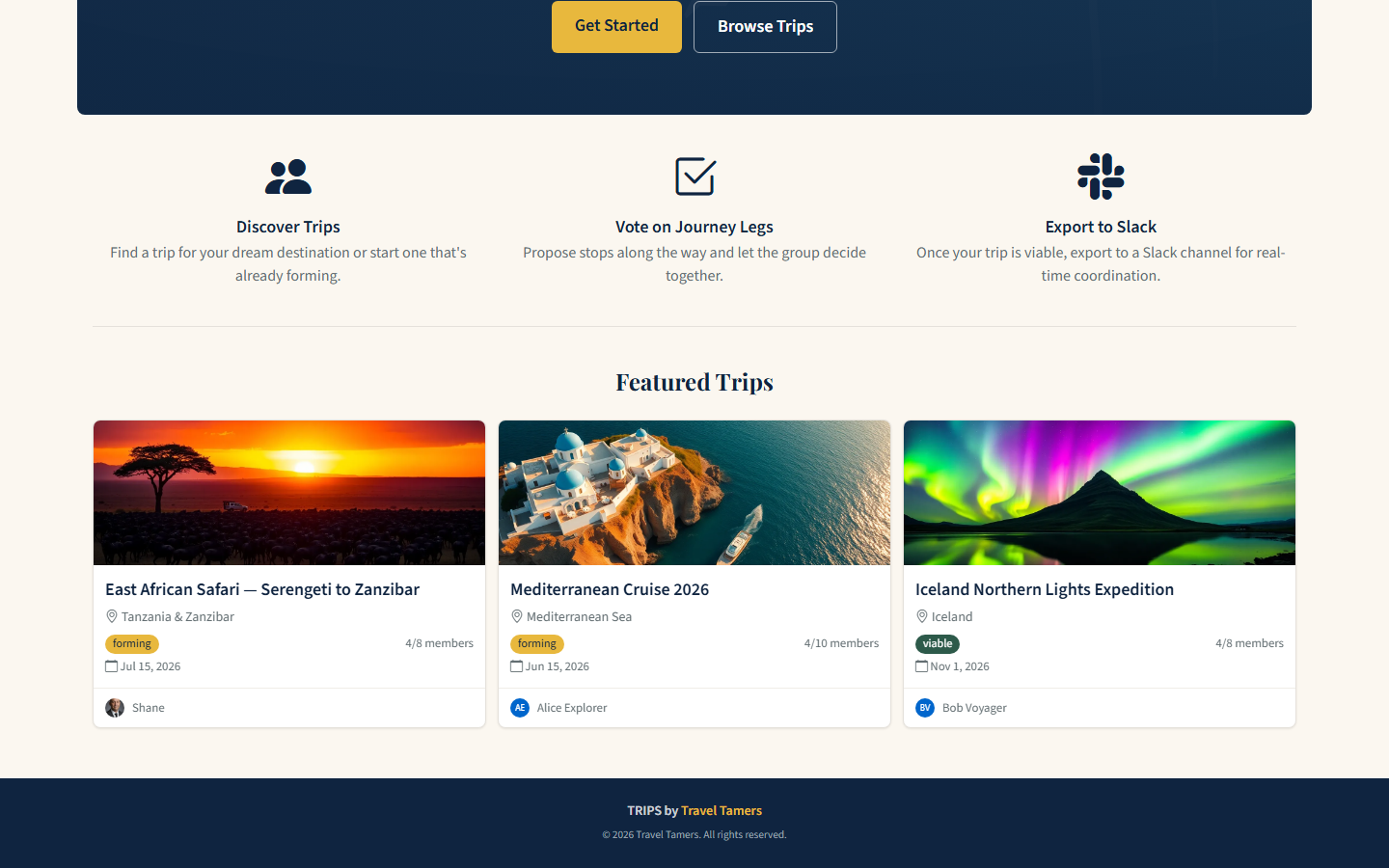
A server-rendered group trip planning platform built with Express 5 and EJS. Travelers create groups, propose journey legs, vote on destinations, and coordinate every detail. Features AI-generated cover images via Replicate FLUX and real-time polling updates.
Overview
The Groups App (internally called TRIPS) is a full-featured group travel coordination platform. It lets Travel Tamers clients form groups around trip ideas, propose and vote on journey legs (flight segments, hotel stays, excursions), post threaded comments with image attachments, and ultimately export finalized itineraries to Slack channels.
Unlike the marketing site (static) or the API (JSON), this is a traditional server-rendered
MPA using Express 5 with EJS templates and Bootstrap 5.3 for styling. The Gold (#E8B83D) and
Navy (#0F2440) design system carries through with full dark mode support via a 3-way theme toggle
(light/dark/system) using [data-theme="dark"] CSS custom properties.

Source of Truth: The Groups App owns all social data — posts, comments, votes, and images. The main TT-API handles contacts, deals, and bookings. Nexus consumes Groups data via the Service API for its social feed aggregation.
Tech Stack
| Layer | Technology | Role |
|---|---|---|
| Runtime | Node.js 20+ | Server runtime (non-root Docker user) |
| Framework | Express 5.2 | HTTP server, routing, middleware |
| Templating | EJS 4 + express-ejs-layouts | Server-side HTML rendering with layout inheritance |
| Frontend CSS | Bootstrap 5.3 + Tailwind 3.4 | UI framework and utility classes |
| Database | PostgreSQL 16 (pg driver) | 13-table relational schema (groups_db) |
| Sessions | express-session + connect-pg-simple | Session storage in PostgreSQL |
| Auth | bcryptjs 3 | Password hashing and verification |
| Validation | express-validator 7 | Input validation on forms and API |
| Image Processing | sharp 0.34 + multer 2 | Upload handling, resize to WebP |
| AI Images | Replicate FLUX API | AI-generated trip cover images |
| Security | helmet 8 + express-rate-limit 8 | CSP headers, rate limiting, CSRF tokens |
| Error Tracking | Sentry (optional) | Production error monitoring |
| Testing | Jest 30 + Supertest 7 | 130 integration and unit tests |
Database Schema
The Groups App uses its own PostgreSQL database (groups_db) with 13 tables.
All primary keys are UUIDs generated by gen_random_uuid(). Timestamps use
TIMESTAMPTZ with auto-updating updated_at triggers. Migrations
are raw SQL files tracked in a schema_migrations table.
Core Tables
| Table | Columns | Purpose |
|---|---|---|
users |
id, email, password_hash, display_name, bio, avatar_url, slack_user_id | Registered users with optional Slack linking |
groups |
id, name, description, destination, cover_image_url, visibility, status, min_members, max_members, owner_id, voting_mode, voting_threshold, departure_date, return_date, invite_token, slack_channel_id, exported_at | Trip groups with lifecycle status and voting config |
group_members |
id, group_id, user_id, role, joined_at | Membership with roles: owner, admin, member |
legs |
id, group_id, title, description, destination, start_date, end_date, estimated_cost, status, proposed_by, sort_order | Journey segments proposed by members |
leg_votes |
id, leg_id, user_id, vote (yes/no/abstain) | Member votes on proposed legs |
comments |
id, group_id, user_id, parent_id, content, image_url | Threaded discussion with image attachments |
notifications |
id, user_id, type, title, message, link, read_at | In-app notifications for joins, votes, comments |
Supporting Tables
| Table | Purpose |
|---|---|
join_questions |
Custom questions owners can require new members to answer |
join_requests |
Pending membership requests for private/gated groups |
join_answers |
Answers to join questions, linked to requests |
invitations |
Email invitations for users not yet registered |
schema_migrations |
Migration tracking (filename + ran_at) |
session |
PostgreSQL-backed session store (connect-pg-simple) |
Group Lifecycle
forming
New group created. Members can join, but quorum not yet met.
viable
Member count reaches min_members threshold. Auto-transitions when enough join.
planning
Owner advances status. Legs are finalized via voting, dates are set.
departed
Trip is underway. Can export to Slack channel for real-time coordination.
completed
Trip finished. Group becomes read-only archive.
Voting Modes: Groups support
unanimous(all members must vote yes) orthreshold(configurable percentage, default 66%). When all members have voted on a leg, the system auto-resolves it to approved or rejected.
Migrations
| File | Creates / Alters |
|---|---|
001_create_users.sql | users table + email index + updated_at trigger |
002_create_groups.sql | groups table with status, visibility, voting config |
003_create_group_members.sql | group_members with unique(group_id, user_id) |
004_create_join_questions.sql | Custom join questions per group |
005_create_join_requests.sql | Membership request queue |
006_create_join_answers.sql | Answers to join questions |
007_create_legs.sql | Journey legs with estimated_cost, sort_order |
008_create_leg_votes.sql | Votes on legs (yes/no/abstain) |
009_create_comments.sql | Threaded comments with image support |
010_create_notifications.sql | In-app notification system |
011_add_slack_fields.sql | slack_channel_id, slack_channel_url, exported_at on groups |
012_add_notification_types.sql | Additional notification type column |
013_add_invite_token.sql | invite_token on groups for shareable links |
014_add_user_slack_id.sql | slack_user_id on users for Slack linking |
015_create_invitations.sql | Email invitation tracking table |
016_seed_fake_trips.sql | Sample data for demonstration |
017_add_password_reset.sql | Password reset token + expiry fields |
Routes & Endpoints
The app has 7 route files mounted in server.js. Page routes serve EJS templates;
API routes return JSON. All state-changing routes require CSRF tokens (except /api/*).
Auth Routes /auth
| Method | Path | Description |
|---|---|---|
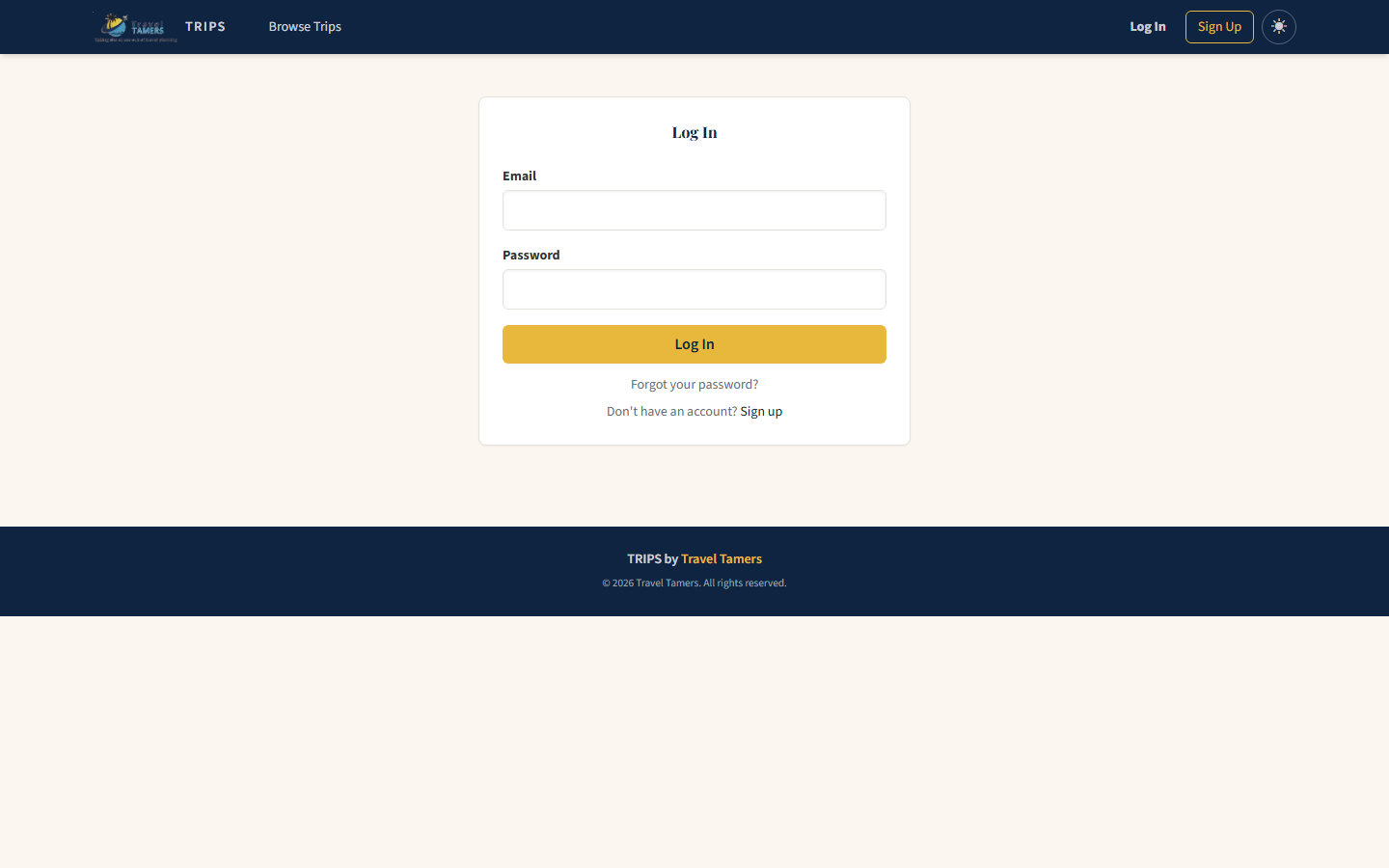
| GET | /auth/login | Login form |
| POST | /auth/login | Authenticate user, regenerate session |
| GET | /auth/signup | Registration form |
| POST | /auth/signup | Create account, auto-accept pending invites |
| GET | /auth/forgot-password | Password reset request form |
| POST | /auth/forgot-password | Send reset email (rate-limited: 5/15min) |
| GET | /auth/reset-password | Reset form with token validation |
| POST | /auth/reset-password | Set new password from reset token |
| POST | /auth/logout | Destroy session and clear cookie |
Feed Routes /feed
| Method | Path | Description |
|---|---|---|
| GET | /feed | Browse public groups (search, filter, sort, paginate). Supports ?format=json. |
| GET | /feed/my-groups | Dashboard of user's groups (owned, admin, member) |
Group Routes /groups
Group Management
| Method | Path | Auth | Description |
|---|---|---|---|
| GET | /groups/new | User | Create group form |
| POST | /groups | User | Create new group |
| GET | /groups/:id | Public | Group detail with legs, comments, viability |
| GET | /groups/:id/edit | Owner/Admin | Edit group form |
| PUT | /groups/:id | Owner/Admin | Update group details |
| DELETE | /groups/:id | Owner | Delete group |
| GET | /groups/:id/settings | Owner/Admin | Unified settings page |
| POST | /groups/:id/status | Owner | Advance lifecycle (viable → planning → departed → completed) |
| GET | /groups/:id/updates | User | Polling endpoint for real-time updates |
Cover Images
| Method | Path | Description |
|---|---|---|
| POST | /groups/:id/generate-cover | AI-generate cover via Replicate FLUX |
| POST | /groups/:id/upload-cover | Upload custom cover (resized to 1200px WebP) |
Membership
| Method | Path | Description |
|---|---|---|
| GET | /groups/invite/:token | Join via shareable invite link |
| GET | /groups/:id/join | Join request form (private/gated groups) |
| POST | /groups/:id/join | Submit join request or direct-join if public |
| POST | /groups/:id/leave | Leave group (owners must transfer first) |
| POST | /groups/:id/generate-invite | Generate invite link token |
| POST | /groups/:id/invite-email | Invite by email (auto-adds or sends invitation) |
| POST | /groups/:id/export-slack | Export finalized trip to Slack channel |
| GET | /groups/:id/requests | Manage pending join requests |
| POST | /groups/:id/requests/:requestId/approve | Approve join request |
| POST | /groups/:id/requests/:requestId/deny | Deny join request |
| POST | /groups/:id/members/:userId/remove | Remove member |
| POST | /groups/:id/members/:userId/role | Change member role |
| POST | /groups/:id/transfer-ownership | Transfer group ownership |
Legs (Journey Segments)
| Method | Path | Description |
|---|---|---|
| GET | /groups/:id/legs/new | Propose leg form |
| POST | /groups/:id/legs | Create proposed leg |
| POST | /groups/:id/legs/:legId/start-voting | Open voting on a leg |
| POST | /groups/:id/legs/:legId/vote | Cast vote (yes/no/abstain) |
| POST | /groups/:id/legs/reorder | Reorder legs (drag-and-drop) |
| DELETE | /groups/:id/legs/:legId | Delete leg (proposer or admin) |
Comments
| Method | Path | Description |
|---|---|---|
| POST | /groups/:id/comments | Post comment (with optional image upload) |
| DELETE | /groups/:id/comments/:commentId | Delete comment (author or admin) |
User Routes /users
| Method | Path | Description |
|---|---|---|
| GET | /users/:id | Public profile (own profile sees private groups too) |
| GET | /users/:id/edit | Edit profile form (own profile only) |
| PUT | /users/:id | Update display name, bio |
| POST | /users/:id/avatar | Upload avatar (resized 256x256 WebP) |
| POST | /users/:id/link-slack | Link Slack account by email lookup |
| DELETE | /users/:id | Delete account (transfers ownership, CASCADE deletes) |
Notification Routes /notifications
| Method | Path | Description |
|---|---|---|
| GET | /notifications | Paginated notifications list (20 per page) |
| POST | /notifications/:id/read | Mark one as read, redirect to link |
| POST | /notifications/read-all | Mark all as read |
JSON APIs
Session-Authenticated API
/api/*
Requires logged-in session. Used by client-side JavaScript.
GET /api/groups— list user's + public groupsGET /api/groups/:id— group detail with legs, membersGET /api/stats— aggregate stats
Service API (Nexus Integration)
/api/service/*
Authenticated via X-Service-Token header (timing-safe comparison).
GET /api/service/social-feed— aggregated activity feedGET /api/service/social-stats— engagement metricsGET /api/service/groups— all groups (no session)
Authentication & Security
The Groups App uses session-based authentication with PostgreSQL-backed session storage. No JWTs — this is a traditional server-rendered app where sessions are the correct pattern.
Session Management
- Store:
connect-pg-simplepersists sessions in PostgreSQL (survives server restarts) - Cookie:
connect.sidwithhttpOnly,secure(in production),sameSite: lax - Secret:
SESSION_SECRETenv var (required, server exits without it) - Session fixation: Sessions are regenerated on login and signup
Password Security
- Passwords hashed with bcryptjs (cost factor 10)
- Password reset tokens are cryptographically random, expire in 1 hour
- Reset endpoint rate-limited to 5 requests per 15 minutes per IP
- Reset response is always the same message (prevents email enumeration)
CSRF Protection
Every session gets a 32-byte random CSRF token stored in req.session.csrfToken.
All POST/PUT/PATCH/DELETE requests must include the token as _csrf
form field or X-CSRF-Token header. API routes (/api/*) are exempt
since they use other auth mechanisms.
<!-- In every EJS form -->
<input type="hidden" name="_csrf" value="<%= csrfToken %>">
Rate Limiting
| Scope | Window | Max Requests |
|---|---|---|
Auth routes (/auth/*) | 15 minutes | 20 |
| Password reset | 15 minutes | 5 |
| General (all routes) | 15 minutes | 200 |
Role-Based Access
Group membership has three roles with escalating permissions:
| Role | Permissions |
|---|---|
owner | All permissions: delete group, advance status, manage questions, transfer ownership, export to Slack, change member roles |
admin | Edit group, manage settings, approve/deny join requests, remove members, start voting, manage covers |
member | View group, propose legs, vote, post comments, leave group |
UUID Validation: All
:idroute parameters are validated against a strict UUID regex pattern. Invalid UUIDs return 404 immediately, preventing injection attacks and database errors.
Views & Templates
The app uses EJS templates with express-ejs-layouts for layout
inheritance. All templates live under trips/views/ with a clear hierarchy.
Template Structure
views/
  layouts/
    main.ejs            # Base HTML layout (head, navbar, flash, footer)
  pages/
    home.ejs            # Landing page with featured groups
    feed.ejs            # Browse groups with search/filter
    my-groups.ejs       # User's groups dashboard
    group-detail.ejs    # Full group view (legs, comments, viability)
    group-form.ejs      # Create/edit group form
    group-settings.ejs  # Unified settings (members, questions, invites)
    leg-form.ejs        # Propose a journey leg
    join-request.ejs    # Join request form with custom questions
    manage-requests.ejs # Approve/deny join requests
    manage-questions.ejs# Configure join questions
    profile.ejs         # User profile page
    profile-edit.ejs    # Edit profile form
    notifications.ejs   # Notification center
    auth/
      login.ejs         # Login form
      signup.ejs        # Registration form
      forgot-password.ejs
      reset-password.ejs
    errors/
      404.ejs           # Not found page
      500.ejs           # Server error page
  partials/
    navbar.ejs          # Top navigation bar
    footer.ejs          # Page footer
    flash.ejs           # Flash message display (success, error, info)
    group-card.ejs      # Group card component (used in feed)
    leg-card.ejs        # Leg card with vote counts
    comment-thread.ejs  # Threaded comment component
    viability-meter.ejs # Visual progress toward min_members
Template Helpers
Every template has access to these globally-injected helper functions:
| Helper | Purpose |
|---|---|
formatDate(date) | Format dates for display |
timeAgo(date) | Relative time ("3 hours ago") |
truncate(str, len) | Truncate text with ellipsis |
sanitizeHtml(str) | Strip HTML tags (XSS prevention) |
defaultAvatar(name) | Generate UI Avatars URL from display name |
currentUser | Current logged-in user object (or null) |
csrfToken | CSRF token for forms |
unreadNotificationCount | Badge count for navbar |
Dark Mode & Accessibility (R11)
The Groups App now features a comprehensive dark mode implementation with a 3-way theme toggle
in the navbar: light, dark, and system (follows
OS preference). This replaced the earlier broken dark: Tailwind class approach.
Theme Mechanism
| Aspect | Implementation |
|---|---|
| Attribute | [data-theme="dark"] on the <html> element (NOT html.dark class) |
| Toggle | 3-way toggle in navbar: light / dark / system. Stored in localStorage. |
| CSS approach | CSS custom properties (variables) scoped under [data-theme="dark"] selector, replacing broken Tailwind dark: utility classes |
| Templates updated | 10 EJS templates converted from Tailwind dark: classes to CSS custom properties |
| Flash alerts | Flash message styling now uses CSS custom properties, fixing invisible alerts in dark mode |
Gold Color Correction
The gold accent was corrected from #C9A84C to #E8B83D across 4 files
for better contrast and visual consistency:
routes/auth.jsroutes/groups.jsutils/notify.jsfavicon.svgandhero-bg.svg
Accessibility Improvements
| Area | Change |
|---|---|
| Modals | Added role="dialog", aria-modal="true", and Escape key close handler |
| Comment images | Added descriptive alt text on comment image attachments |
| Login/Signup forms | Added autocomplete attributes (email, current-password, new-password, name) |
| Dark mode alerts | Fixed flash alerts that were invisible in dark mode (white text on white background) |
AI Image Generation
Group owners and admins can generate cover images using the Replicate FLUX API. The system builds a prompt from the group's name, destination, and description, then calls the FLUX model to create a travel-themed cover image.
Prompt Construction
buildCoverPrompt() combines group name, destination, and description into a structured prompt optimized for travel imagery.
utils/flux.js
Replicate API Call
The prompt is sent to the FLUX model on Replicate. Users can also provide a custom prompt override.
REPLICATE_API_TOKEN
Image Downloaded & Saved
The generated image is downloaded and saved to public/uploads/group-covers/{groupId}.webp.
sharp + WebP
Database Updated
The group's cover_image_url is updated to the local path.
Fallback: If
REPLICATE_API_TOKENis not set, the generate-cover endpoint will return an error flash message. Groups use a default SVG cover (public/images/default-cover.svg) until a cover is generated or uploaded.
Users can also upload their own cover images, which are processed through sharp to resize (max 1200px wide) and convert to WebP at 85% quality.
SSH Tunnel (Local Development)
The Groups App's PostgreSQL database runs inside a Docker container on the VPS. For local development, you connect via an SSH tunnel that forwards a local port to the container's internal network address.
Architecture Detail
Local → VPS → Docker Network
# Open the SSH tunnel (runs in background)
ssh -f -N -L 5433:172.20.0.2:5432 vps

# Local port 5433 → VPS internal Docker network → PostgreSQL container
# DATABASE_URL=postgresql://user:pass@localhost:5433/groups_db
The tunnel maps local port 5433 to the PostgreSQL container at
172.20.0.2:5432 on the VPS Docker bridge network. This avoids exposing
the database port publicly while allowing full local development.
Important: The SSH tunnel must be running before starting the dev server. If the tunnel drops, all database queries will fail. Use
ssh -f -Nto run it as a background process, or add it to your shell profile.
Development
Quick Start
# 1. Start SSH tunnel to VPS PostgreSQL
ssh -f -N -L 5433:172.20.0.2:5432 vps

# 2. Install dependencies
cd trips/
npm install

# 3. Run database migrations
npm run migrate

# 4. Seed sample data
npm run seed

# 5. Start dev server (nodemon with hot reload)
npm run dev
# App at http://localhost:3000
Available Commands
| Command | Description |
|---|---|
npm run dev | Start with nodemon (auto-restart on file changes) |
npm start | Production start (node server.js) |
npm run migrate | Run pending SQL migrations |
npm run seed | Seed database with sample data |
npm test | Run Jest test suite (130 tests) |
npm run build:css | Build Tailwind CSS (minified) |
npm run dev:css | Watch mode for Tailwind CSS changes |
Project Structure
trips/
  server.js            # Express entry point (237 lines)
  config/
    db.js              # PostgreSQL pool configuration
    session.js         # Session middleware config
  routes/              # 7 route files
    auth.js            # Login, signup, password reset
    feed.js            # Group browsing and search
    groups.js          # Group CRUD, membership, legs, comments (1120 lines)
    users.js           # Profile management, avatar upload
    notifications.js   # Notification center
    api.js             # Session-authenticated JSON API
    serviceApi.js      # Service token API for Nexus
  controllers/         # Business logic (separated from routes)
  models/              # 10 database models
    User.js            # User CRUD, password hashing, reset tokens
    Group.js           # Group CRUD, viability checks, invite tokens
    Member.js          # Membership, roles, ownership transfer
    Leg.js             # Journey legs, voting lifecycle
    LegVote.js         # Vote casting, auto-resolution
    Comment.js         # Threaded comments with images
    Notification.js    # In-app notification system
    JoinRequest.js     # Membership request queue
    JoinQuestion.js    # Custom join questions
    Invitation.js      # Email invitation tracking
  middleware/
    auth.js            # requireAuth, optionalAuth, requireGroupRole
    validate.js        # express-validator rules for forms
    upload.js          # multer config for covers, comments, avatars
    errorHandler.js    # 404 and 500 error handlers
    validateUUID.js    # UUID format validation
  utils/
    flash.js           # Flash message helpers
    helpers.js         # Date formatting, truncation, sanitization
    email.js           # Email sending utility
    flux.js            # Replicate FLUX API integration
    notify.js          # In-app notification dispatch
    slack.js           # Slack API (channel export, user lookup)
    groupsSync.js      # Sync events to TT-API (member joins/leaves)
  views/               # 27 EJS templates
  public/
    css/style.css      # Custom Gold/Navy design system + dark mode via [data-theme="dark"] CSS custom properties
    css/tailwind.css   # Generated Tailwind output
    js/app.js          # Client-side JavaScript
  migrations/          # 17 SQL migration files
  seeds/               # Database seed scripts
  tests/               # Jest test files
Environment Variables
| Variable | Required | Description |
|---|---|---|
DATABASE_URL | Required | PostgreSQL connection string |
SESSION_SECRET | Required | Secret for signing session cookies |
APP_URL | Optional | Base URL for email links (default: http://localhost:3000) |
PORT | Optional | Server port (default: 3000) |
NODE_ENV | Optional | production / development / test |
REPLICATE_API_TOKEN | Optional | Replicate API key for AI cover images |
SLACK_BOT_TOKEN | Optional | Slack Bot Token for channel export and user lookup |
SERVICE_API_TOKEN | Optional | Token for Nexus service API authentication |
SENTRY_DSN | Optional | Sentry error tracking DSN |
Testing
The Groups App has a comprehensive Jest test suite with 130 tests covering authentication flows, group operations, membership, voting, comments, and API endpoints. Tests use Supertest for HTTP-level integration testing.
Running Tests
# Run the full test suite
npm test

# Run a specific test file
npm test -- tests/setup.test.js

# Jest flags used:
#   --runInBand       (sequential execution, avoids DB conflicts)
#   --detectOpenHandles (identify leaking connections)
#   --forceExit       (exit after tests complete)
CSRF Test Helper
Tests that perform state-changing operations need a valid CSRF token. The test suite includes
a helper at tests/helpers/csrf.js that extracts the CSRF token from a GET request
and includes it in subsequent POST requests.
// tests/helpers/csrf.js pattern
const agent = supertest.agent(app);
// 1. GET a page to establish session + get CSRF token
const res = await agent.get('/auth/login');
const csrfToken = extractCsrf(res.text);
// 2. Include token in POST
await agent.post('/auth/login')
  .send({ email, password, _csrf: csrfToken });
Never bypass CSRF in tests. The test suite uses the real CSRF middleware to ensure security is validated end-to-end. If a test fails on CSRF, fix the test helper, not the middleware.
Deployment
The Groups App runs as a Docker container on the VPS behind Traefik, serving
groups.traveltamers.com. The Dockerfile uses Node 20 with a non-root user
for security.
Deployment Pipeline
Code pushed or manual deploy
Changes pushed to main branch or manual SSH deployment to VPS.
Git / SSH
Files synced to VPS
Code deployed to /opt/groups-by-travel-tamers/ on the VPS.
tar + SSH
Docker rebuild
Docker image rebuilt with Node 20, non-root user. Dependencies installed in container.
Docker
Migrations run
Pending SQL migrations applied to groups_db via the migration runner.
PostgreSQL
Health check verified
GET /health returns {"status":"ok","app":"groups"}. Health endpoint is before session middleware, so it requires no auth.
HTTP check
Production Infrastructure
# Docker container: groups
# Serves: groups.traveltamers.com
# Port: 3000 (internal)
# VPS path: /opt/groups-by-travel-tamers/
# Database: groups_db (PostgreSQL 16 in Docker)
# Traefik handles:
#   - SSL termination (Let's Encrypt)
#   - HTTP → HTTPS redirect
#   - Host-based routing
Health Endpoint
The /health route is mounted before session and CSRF middleware,
so it can be called by monitoring tools without authentication:
// Response: 200 OK
{
  "status": "ok",
  "app": "groups",
  "timestamp": 1710000000000
}
Monitoring: The VPS health check script runs every 5 minutes via cron and alerts the #monitoring Slack channel if the Groups App health endpoint fails. Manual rollback is available by SSH-ing to the VPS and restarting with the previous Docker image.